<img height="1" width="1" style="display:none" src="https://www.facebook.com/tr?id=395330474421690&amp;ev=PageView&amp;noscript=1">
Built for the hourly workforce

Active sourcing > passive sourcing

Don't wait around for the best applicants to come knocking. Make use of the active sourcing methods built into Workstream, and increase your chances of hiring by as much as 5X!

Frame-4

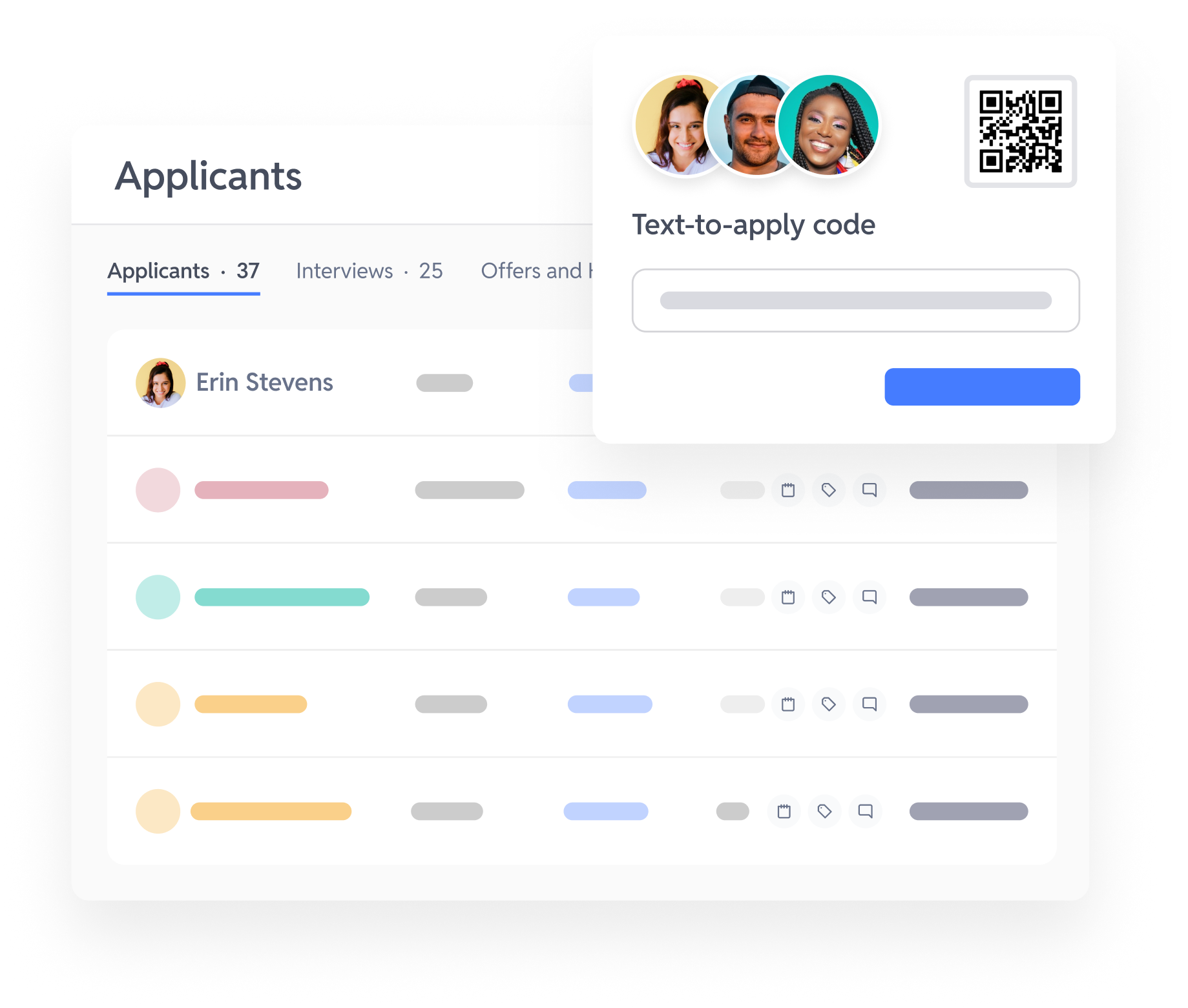
Text-to-apply

Applicants apply in seconds by texting a unique code.

Frame-Apr-10-2026-11-10-49-1082-AM

QR codes

Applicants scan a QR code to apply for a role from their phone.

Frame-Apr-10-2026-11-10-56-5459-AM

Referrals

Make it easy for existing workers to refer friends and family.

Frame-Apr-10-2026-11-11-15-0969-AM

Talent network

Re-engage previous applicants without spending additional sourcing dollars.

Frame

Hiring posters

Create custom hiring posters to hang up in your business and around town.

Frame-Apr-10-2026-11-11-05-7463-AM

Career pages

Easily build custom career pages that host all of your job openings.

Frame-Apr-10-2026-11-11-22-4370-AM

Social media

Share your job postings or career pages easily to social media.

Frame-Apr-10-2026-11-11-29-7105-AM

Job boards

Automatically post and sponsor open roles to top job boards like Indeed.

Trusted by top companies

“Don't overlook any form of getting the word out about hiring. Workstream has QR codes, texting, in-theater signs, and online posting to job boards. If you're just sticking to one form, go ahead and sell your business, because you're not going to be able to stay in business.”

Donald Terry
Vice President - Operations Administrator,
Malco Theaters

Start getting more applicants beyond job boards

FAQs

Got questions? We've got answers.

Still have questions?

What is active sourcing in hourly hiring?

Active sourcing in hourly hiring means proactively finding candidates instead of waiting for them to discover a job posting on their own. This includes distributing jobs across job boards, social channels, QR-code posters, and text-to-apply campaigns while removing friction between candidate interest and application completion. The goal is to capture candidates immediately when they show interest and convert them before they apply somewhere else nearby.

How does text-to-apply work for restaurants?

Text-to-apply works by letting candidates text a short code to a dedicated number and instantly receive a mobile application link or guided SMS application flow. This removes the need for career site visits, account creation, or long application forms that are difficult to complete on mobile devices. Text-to-apply typically delivers much higher conversion rates because candidates can apply directly through the same messaging channel they already use daily.

How do QR codes on in-store posters improve hiring?

QR codes on in-store posters improve hiring by letting candidates apply instantly from their phone while they are physically inside the restaurant location. Candidates can scan a QR code from a poster, table tent, or window cling and enter the application flow in under two minutes. This creates one of the highest-intent sourcing channels in hourly hiring because candidates are already at the location and ready to apply. Workstream also generates location-specific QR codes so every applicant is routed to the correct store automatically.

Does active sourcing work for franchise systems with hundreds of locations?

Active sourcing works especially well for franchise systems with hundreds of locations because sourcing campaigns can be managed centrally in Workstream while still routing candidates to the correct store. Workstream generates location-specific QR codes and text-to-apply short codes for every location, while job board distribution and targeting can be controlled from one system. This prevents candidates from applying to the wrong entity and removes the need to manage hundreds of separate job board accounts manually.

Is active sourcing more effective than posting on Indeed alone?

Active sourcing is usually more effective than relying only on Indeed because it diversifies candidate acquisition across multiple channels instead of depending on one increasingly competitive marketplace. Workstream combines Indeed with text-to-apply, QR codes, social recruiting, and niche job boards to reach candidates across more touchpoints. Operators using active sourcing alongside Indeed often reduce cost-per-hire by 30–50% while improving applicant volume and quality.

How much does active sourcing software cost?

Active sourcing software is usually included as part of a broader hiring platform instead of being sold separately. In Workstream, active sourcing tools such as QR-code generation, text-to-apply setup, and job board distribution are included alongside the ATS, Voice AI, and onboarding platform. Operators replacing separate sourcing and job board management tools with an all-in-one platform like Workstream often reduce per-hire software costs by 20–40%.

Personal Information and Sensitive Personal Information

Before we discuss the right to limit and the right to opt-out, we must first define personal information and how it relates to sensitive personal information.

Personal information is any data that identifies, relates to, or could reasonably be linked to you or your household. A few examples of personal information include:

  • Name or nickname
  • Email address
  • Purchase history
  • Browsing history
  • Location data
  • Employment data
  • IP address
  • Profiles businesses create about you, including pseudonymous profiles (“user1234”)
  • Sensitive personal information

Sensitive personal information or “SPI” is a subset of personal information, defined as:

  • Identifying information (e.g. social security number, driver’s license)
  • Financial data (e.g. debit or credit card numbers)
  • Precise geolocation (within a radius of 1,850 feet)
  • Demographic or protected-class information (e.g. race/ethnicity, religion, union membership)
  • Biometric and genetic data (e.g. fingerprints, palm scans, facial recognition)
  • Communications and content (e.g. mail, email, text messages)
  • Health and sexual orientation (e.g. vaccine records, health history)

Right to Opt-Out

Californians have the right to opt-out of the sale and sharing of their personal information. That means you have the right to opt-out of the sale of your personal information to third parties (e.g. data brokers, advertisers). You also have the right to opt-out of the sharing of your personal information to prevent the targeting of ads across different businesses, websites, apps, or services.

CCPA-covered businesses must provide a link to allow you to exercise this right. It is usually found at the bottom of a webpage and will say “do not sell or share my personal information” or “your privacy choices.” Sometimes businesses offer privacy choices through a pop-up window or form

To opt-out of the sale and sharing of your personal information, click on the link or use the toggle provided by the business and follow the directions. Doing this on every website you visit can feel burdensome, but to ease the burden you can automatically select your privacy preferences for every website by using an opt-out preference signal, or OOPS for short.

An OOPS is a user-friendly and straightforward way for consumers to automatically exercise their right to opt-out of the sale and sharing of their personal information with the businesses they interact with online. An OOPS, such as the Global Privacy Control. It can either be a setting on your internet browser or a browser extension. With an OOPS, consumers do not have to submit individual requests to opt-out of sale or sharing with each business.

Right to Limit

Californians also have the right to direct businesses to limit the use and disclosure of their sensitive personal information.

Businesses covered under the CCPA must provide a link on their website that allows you to request the limiting of your SPI, if they plan on using it in certain ways. That link will also typically be at the bottom of a webpage and will say: “limit the use of my sensitive personal information” or “your privacy choices.” Once you send this request, the business must stop using your SPI for anything other than to:

  • Provide requested goods or services
  • Ensure security and integrity
  • Prevent fraud
  • Maintain system functionality
  • Comply with legal obligations

Bringing it Together

In summary, the CCPA gives you the right to opt-out of the sale and sharing of your personal information and gives you additional rights to further limit the use and disclosure of your sensitive personal information.

When you exercise these rights together, you exert greater control in protecting your personal data which is important for your identity, safety, and financial health.

If you are on a business’s website and you can’t find the links to exercise your rights, remember to check their privacy policy. The privacy policy should tell you how you can exercise your rights under the law.

If you find your rights being violated, you can submit a complaint to CalPrivacy.

Next in the LOCKED series, we will explore the right to correct and right to know. Follow us on social media to get live updates or check back in one week for the next post.


Essential

Required to enable basic website functionality. You may not disable essential cookies.

Targeted Advertising

Used to deliver advertising that is more relevant to you and your interests. May also be used to limit the number of times you see an advertisement and measure the effectiveness of advertising campaigns. Advertising networks usually place them with the website operator’s permission.

Personalization

Allow the website to remember choices you make (such as your username, language, or the region you are in) and provide enhanced, more personal features. For example, a website may provide you with local weather reports or traffic news by storing data about your general location.

Analytics

Help the website operator understand how its website performs, how visitors interact with the site, and whether there may be technical issues.

Right to Limit Use of Sensitive Personal Information

You also have the right to limit how we use sensitive personal information (such as precise geolocation, financial data, etc.).

Your preference has been saved. We will not sell or share your personal information.