<img height="1" width="1" style="display:none" src="https://www.facebook.com/tr?id=395330474421690&amp;ev=PageView&amp;noscript=1">
Built for the hourly workforce

Reduce interview no-shows by 55% when VoiceAI calls candidates for you

Frame-Apr-14-2026-12-32-12-6733-PM

AI Phone calls

Let candidates start screening on their own time and view summaries with pass/fail ratings in your dashboard 

Frame-Apr-14-2026-12-32-02-8096-PM

Interview reminder calls

Cut interview no-shows with automated VoiceAI reminders and rescheduling 

Frame-Apr-14-2026-12-31-52-4225-PM

Call documentation

All calls, transcripts, Q&A, and AI summaries are recorded for consistent, compliant hiring 

Frame-Apr-14-2026-12-31-25-1227-PM

Automation

Let the system handle next steps once each stage is complete 

Frame-Apr-14-2026-12-31-33-5785-PM

Your brand, your voice

VoiceAI learns your tone, scripts, and policies to engage candidates just like you 

Frame-Apr-14-2026-12-31-41-2180-PM

Human touch

Stay in control while VoiceAI gathers the insights you need to make confident hiring decisions 

Hear it in action

payroll-Apr-14-2026-12-31-17-1776-PM

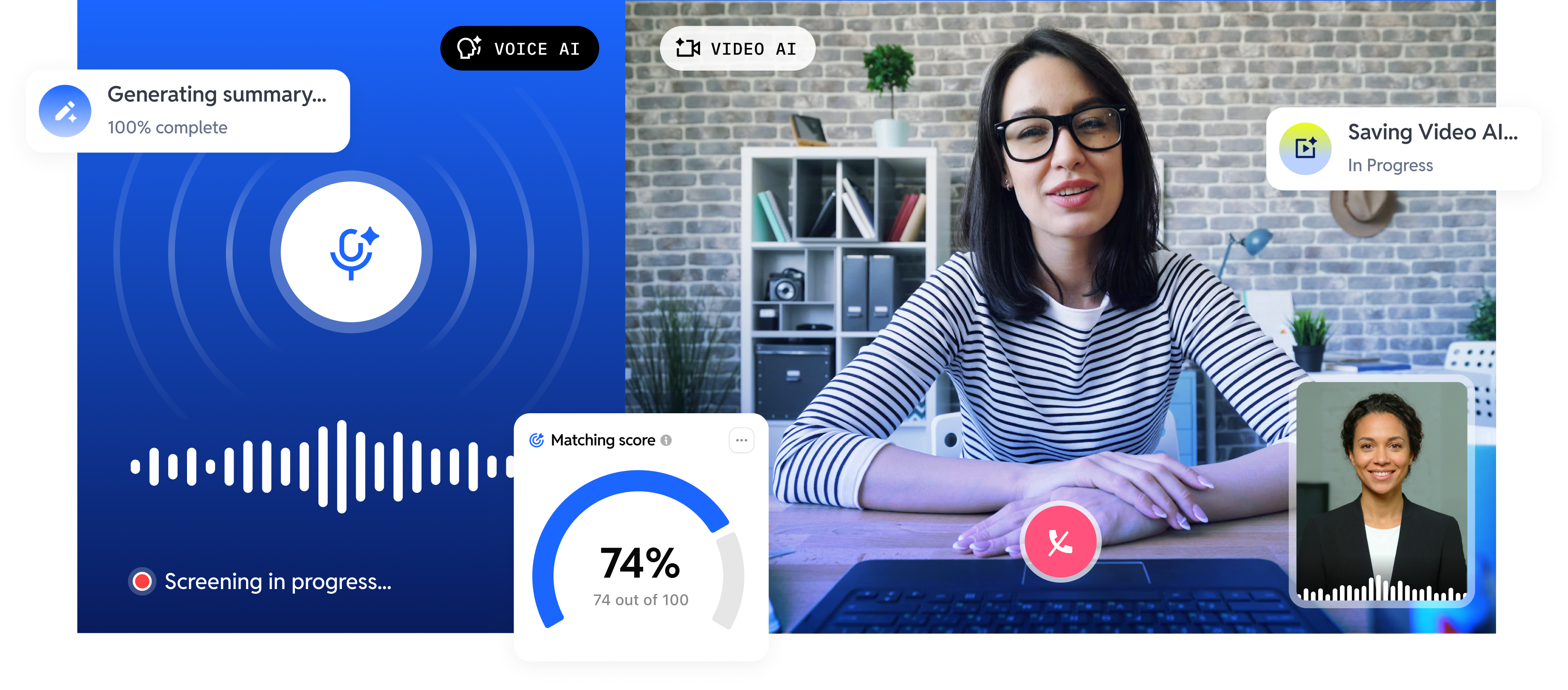
Video interview screening

Let VideoAI handle first-round screening with guided interview questions. 

payroll-Apr-14-2026-12-44-11-1655-PM

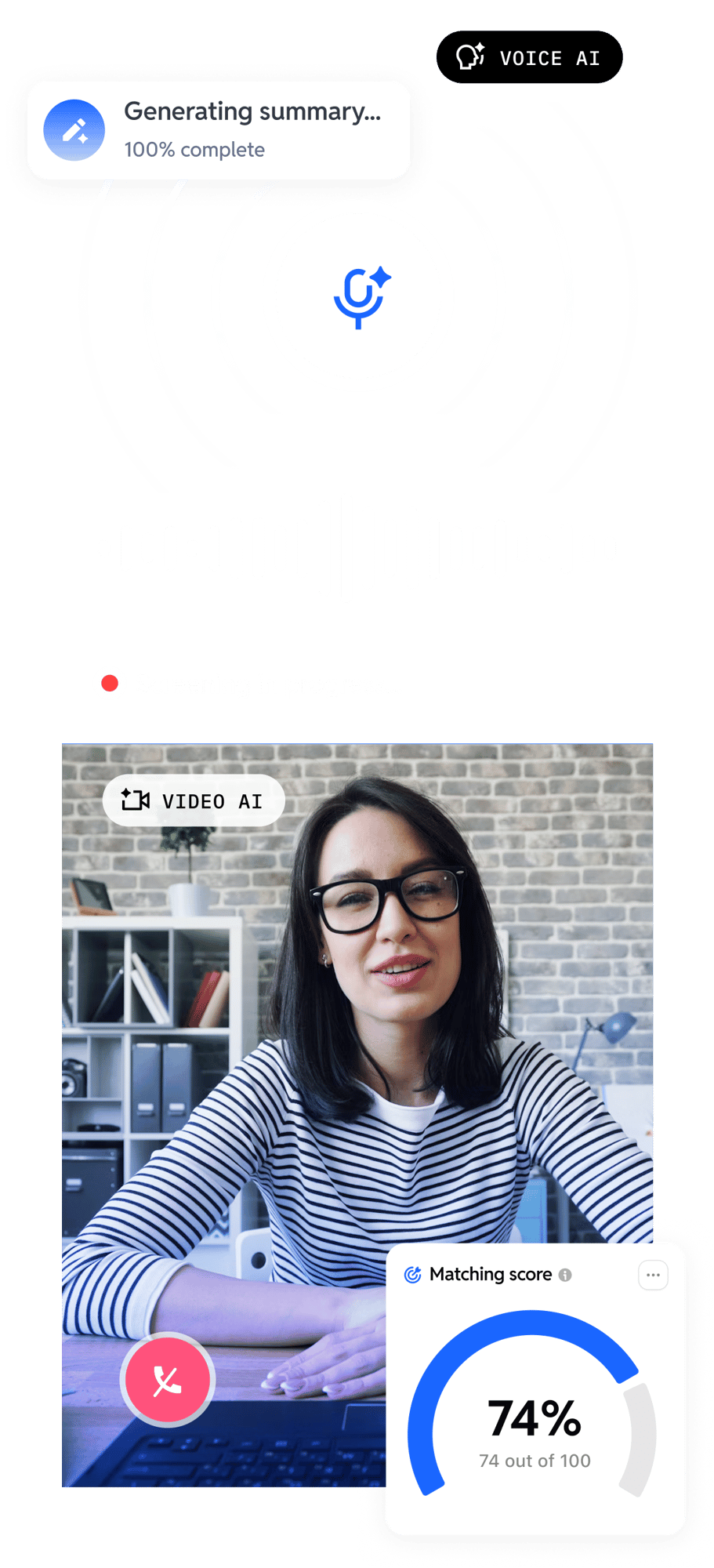
Video replay

Replay and evaluate candidate responses at your convenience. 

payroll-3

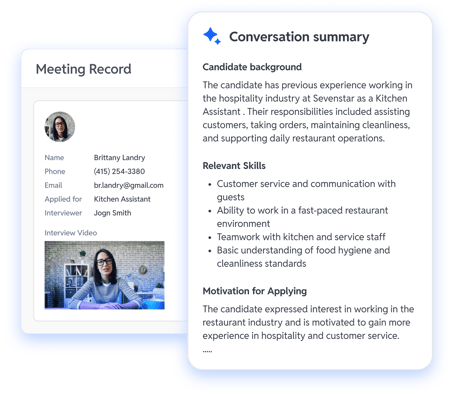
Conversation summary

Instantly review key highlights from every interview. 

lockup-4

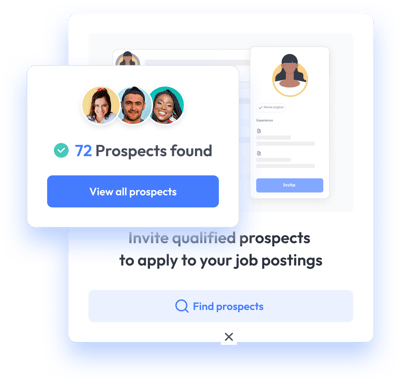
Candidate match score

Quickly assess candidate fit with a match score. 

Jack Marti, SHRM-SCP

VP of Commercial
Operations | Go Ape

“One of the most impactful aspects of the Voice AI tool has been the automated phone screening.

By filtering out those who are only lukewarm about the role, we’re giving top-tier candidates more scheduling flexibility and reducing the chances of missing out on strong talent.

We estimate that the tool saves our managers approximately at least 2–3 hours each week when recruiting.”

hiring with ai

Ready to onboard your AI hiring assistant?

FAQs

Got questions? We've got answers.

Still have questions?

What is Voice AI for hiring?

Voice AI is an AI-powered phone agent that helps busy managers automate hiring tasks and save time. Voice AI calls your applicants, screens them against your hiring criteria, and books interviews automatically without a manager making the call. VoiceAI also helps with interview reminders, rescheduling and cancellation when needed. Workstream’s Voice AI runs 24/7, supports multiple languages (English, Spanish and Mandarin), and provides recordings, transcripts, and AI-generated summaries for every conversation, giving hiring managers full context before making hiring decisions. Operators using Voice AI have reduced interview no-show rates by 55% and achieved 3x faster time-to-hire. Call Voice AI at 424-788-0953 to test its screening call.

How is Voice AI different from a hiring chatbot?

Voice AI is different from a hiring chatbot because it makes real phone calls instead of communicating through website text chat. For hourly hiring, phone calls convert at much higher rates than web chat or email. Workstream’s Voice AI calls candidates, speaks in their preferred language, asks configured screening questions, and books interviews in a single call. It can also handle inbound hiring calls, so candidates are screened immediately instead of reaching voicemail. Culver’s franchisees have seen 3x faster time-to-hire after switching to Workstream’s Voice AI.

Does Voice AI replace recruiters?

Voice AI does not replace recruiters. It removes low-value tasks like cold outreach, first-pass screening, and scheduling callbacks so recruiters can focus on qualified candidates. Workstream customers using Voice AI typically achieve 3x faster time-to-hire because candidates are not waiting days for a human callback. Recruiters focus on closing candidates while Voice AI manages high-volume screening around the clock.

What questions does Voice AI ask candidates?

Voice AI asks candidates the questions you configure for the role. Common questions include shift availability, distance from the location, work eligibility, transportation, prior experience, and role-specific knockout questions. Workstream’s Voice AI can also answer candidate questions about pay range, working hours, location details, and uniform requirements. This makes it a two-way screening conversation instead of just an outbound calling tool. You can call Voice AI at 424-788-0953 to test the screening call for yourself!

Can I review the Voice AI call before moving a candidate forward?

Yes. You can review every Voice AI call before moving a candidate forward. Each call is recorded, transcribed, and summarised with AI-highlighted key points from the conversation. Hiring managers can review the full transcript and screening rubric before making decisions. Team members can also access the recorded call when needed before extending an offer.

How much does Voice AI for hiring cost?

Voice AI for hiring is included as a core feature inside Workstream’s hiring platform instead of being sold as a separate add-on or premium upgrade. Operators using it typically save 3–5 hours per week on manual screening calls and interview scheduling. Many customers see a positive ROI within the first month because of the recruiter time saved. See our pricing plan here for more information.

How does Voice AI handle bilingual candidates?

Voice AI handles bilingual candidates by supporting both English, Spanish and Mandarin during the same screening flow. Workstream’s Voice AI can switch languages mid-call based on candidate preference without interrupting the conversation. This helps operators in industries like food service, healthcare, retail, and senior living reach larger Spanish-speaking candidate pools without requiring bilingual recruiters at every location. You can test Workstream’s Voice AI yourself by calling 424-788-0953 and trying the screening flow in different languages.

What's the best AI hiring tool for restaurants?

We truly believe Workstream is the best AI hiring tool for restaurants. This is because with Workstream’s Voice AI, applicants can self-schedule, get instant responses, receive automated reminders, and move seamlessly from interview to hire, reducing interview no-show rates by 55% and speeding up time-to-hire by 3x. Voice AI was built with restaurants in mind, specifically tackling the unique challenges of high turnover and high no-show rates, thus making Voice AI the best hiring tool for restaurants.

Personal Information and Sensitive Personal Information

Before we discuss the right to limit and the right to opt-out, we must first define personal information and how it relates to sensitive personal information.

Personal information is any data that identifies, relates to, or could reasonably be linked to you or your household. A few examples of personal information include:

  • Name or nickname
  • Email address
  • Purchase history
  • Browsing history
  • Location data
  • Employment data
  • IP address
  • Profiles businesses create about you, including pseudonymous profiles (“user1234”)
  • Sensitive personal information

Sensitive personal information or “SPI” is a subset of personal information, defined as:

  • Identifying information (e.g. social security number, driver’s license)
  • Financial data (e.g. debit or credit card numbers)
  • Precise geolocation (within a radius of 1,850 feet)
  • Demographic or protected-class information (e.g. race/ethnicity, religion, union membership)
  • Biometric and genetic data (e.g. fingerprints, palm scans, facial recognition)
  • Communications and content (e.g. mail, email, text messages)
  • Health and sexual orientation (e.g. vaccine records, health history)

Right to Opt-Out

Californians have the right to opt-out of the sale and sharing of their personal information. That means you have the right to opt-out of the sale of your personal information to third parties (e.g. data brokers, advertisers). You also have the right to opt-out of the sharing of your personal information to prevent the targeting of ads across different businesses, websites, apps, or services.

CCPA-covered businesses must provide a link to allow you to exercise this right. It is usually found at the bottom of a webpage and will say “do not sell or share my personal information” or “your privacy choices.” Sometimes businesses offer privacy choices through a pop-up window or form

To opt-out of the sale and sharing of your personal information, click on the link or use the toggle provided by the business and follow the directions. Doing this on every website you visit can feel burdensome, but to ease the burden you can automatically select your privacy preferences for every website by using an opt-out preference signal, or OOPS for short.

An OOPS is a user-friendly and straightforward way for consumers to automatically exercise their right to opt-out of the sale and sharing of their personal information with the businesses they interact with online. An OOPS, such as the Global Privacy Control. It can either be a setting on your internet browser or a browser extension. With an OOPS, consumers do not have to submit individual requests to opt-out of sale or sharing with each business.

Right to Limit

Californians also have the right to direct businesses to limit the use and disclosure of their sensitive personal information.

Businesses covered under the CCPA must provide a link on their website that allows you to request the limiting of your SPI, if they plan on using it in certain ways. That link will also typically be at the bottom of a webpage and will say: “limit the use of my sensitive personal information” or “your privacy choices.” Once you send this request, the business must stop using your SPI for anything other than to:

  • Provide requested goods or services
  • Ensure security and integrity
  • Prevent fraud
  • Maintain system functionality
  • Comply with legal obligations

Bringing it Together

In summary, the CCPA gives you the right to opt-out of the sale and sharing of your personal information and gives you additional rights to further limit the use and disclosure of your sensitive personal information.

When you exercise these rights together, you exert greater control in protecting your personal data which is important for your identity, safety, and financial health.

If you are on a business’s website and you can’t find the links to exercise your rights, remember to check their privacy policy. The privacy policy should tell you how you can exercise your rights under the law.

If you find your rights being violated, you can submit a complaint to CalPrivacy.

Next in the LOCKED series, we will explore the right to correct and right to know. Follow us on social media to get live updates or check back in one week for the next post.


Essential

Required to enable basic website functionality. You may not disable essential cookies.

Targeted Advertising

Used to deliver advertising that is more relevant to you and your interests. May also be used to limit the number of times you see an advertisement and measure the effectiveness of advertising campaigns. Advertising networks usually place them with the website operator’s permission.

Personalization

Allow the website to remember choices you make (such as your username, language, or the region you are in) and provide enhanced, more personal features. For example, a website may provide you with local weather reports or traffic news by storing data about your general location.

Analytics

Help the website operator understand how its website performs, how visitors interact with the site, and whether there may be technical issues.

Right to Limit Use of Sensitive Personal Information

You also have the right to limit how we use sensitive personal information (such as precise geolocation, financial data, etc.).

Your preference has been saved. We will not sell or share your personal information.