



3 ways to give hourly workers the flexibility they want
- Home >
- Workstream Blog >
- 3 ways to ...

FREE RESOURCES
Join 30,000+ operators staying ahead on restaurant hiring, payroll, and compliance.

Get the latest with Workstream
Always stay current with hiring news by subscribing to our email updates
The world of hourly work has changed rapidly in the last few years.
Don't overthink what employees are wanting. Things like giving thanks and kudos are a small example of little things that employees appreciate. Employees also want more flexibility in how and when they work. A recent Skedulo survey highlighted that flexibility would make hourly workers more likely to stay in their job, give them better work/life balance, and give them more motivation at work.
But how do you provide flexibility to a workforce that can’t really work from home, works on shifts, and needs to work set schedules for the business to run efficiently? Let’s dive into the strategies you can employ to keep your business appropriately staffed while offering your team the flexibility they crave:
1. Build flexibility into your shift scheduling
According to Skedulo, flexibility is as important as pay for many hourly workers. A whopping 47% of respondents would rather spend time working for a company that offered flexible scheduling over a 10% bump in pay.
As a leader in the hourly workforce, there are a few things you can do to make scheduling your team more flexible—without introducing more headaches.
Invest in a shift scheduling tool
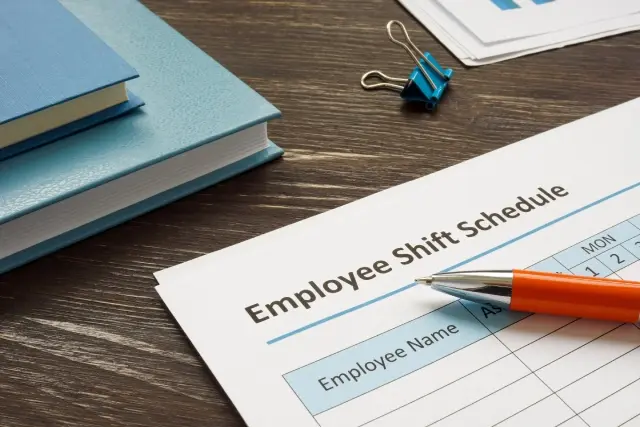
A shift scheduling tool is one of the most powerful resources you have in creating a flexible schedule. Empowering your team with flexible scheduling opportunities might create some complications, but you can offload some of that responsibility by investing in the right tool.
With scheduling tools, you can better view worker desires and company needs. You can see everything in one place, which makes visualizing the schedule much more manageable.
If you are a franchisee, your parent company might already have a scheduling tool built for you. If you're on your own, try a tool like Shiftboard, When I Work, or Buddy Punch.
Create a shift pick-up policy
Once you have a shift scheduling tool, you should better understand what shifts need more attention. Are some time slots the last to be picked? The first to get dropped? A shift pick-up policy will allow you to close the gap quickly.
As employees need last-minute time off, where do you put their shifts? You might have a handful of trustworthy employees, but adding extra time to their schedules isn’t always a great idea. Burnout in the hourly workforce is a huge issue. If your workers can self-select which shifts they want to pick up, you can create a more flexible work environment. Many scheduling tools will give you the ability to create a better shift pick-up process.
Let employees decide which shift times work for them
Do you set when employees should work? Life changes quickly, and flexible scheduling means giving employees more options about when they work. Let employees share what their best shift times are. When discussing this strategy, you can say:
“Our business runs because we all work hard, and you may find yourself working a shift you don’t like. I promise I will take your preferences into consideration and use my best effort to give you shifts that you will enjoy.”
Next, follow up on this statement to avoid favoritism when creating your business schedule. For example, you could make the schedule and then get feedback from another leader in the company to ensure it’s fair. In addition, creating the schedule multiple weeks in advance can help you distribute work evenly across employees.
Provide options for shorter shifts
The traditional eight-hour shift doesn’t work as well as it used to. With companies allowing gig workers to work when they want (and for however long they want), it’s important for others in the hourly industry to provide more flexibility. Part-time or full-time work that’s more spread out could be helpful for your team.
For example, a parent who needs a bit of flexibility in the morning and afternoon might want to split up their shift and cover a few hours in the morning and a few hours at night. If you’re creating a schedule based on eight-hour shifts, consider what might happen if you offered a three or four-hour shift instead.
Create a shift worker pool
On top of creating a pick-up policy for extra shifts, you could also create a pool of workers you can tap into if needed. Often this pool consists of former employees or anyone looking to pick up irregular shifts. Overall, these workers should be trained and ready to work if needed.
2. Strengthen trust between shift leaders and staff
Shift leaders manage the schedules of dozens (and sometimes hundreds) of employees. It can be challenging to create trust between every team member, but one of the best strategies to improve trust is to be forthcoming about scheduling and any changes made. Last-minute schedule changes can make it difficult for employees to meet work expectations while balancing tasks outside of work.
According to a recent analysis by The Shift Project, many workers are struggling with last-minute updates to their schedules:
“Workers’ schedules are also often changed at the last minute, with 14% reporting at least one cancelled shift in the last month and 70% reporting at least one change to the timing of one of their shifts in the past month.”
So, how can companies do this?
- Set a deadline for scheduling changes
- Communicate each change in schedule with a text or phone call
- Make other arrangements to cover last-minute shift changes
3. Provide better benefits for hourly workers
When you think about who uses employee benefits, what kind of worker comes to mind? Leaders often consider office workers, and hourly workers get left behind. Yet, hourly work makes up the majority of the workforce. Some industries, like healthcare, get many benefits, while others like retail suffer.
Make time off a priority
One universal benefit you can provide hourly workers is paid time off. Employees from retail to healthcare struggle with getting adequate time off. These jobs are often considered essential, which makes time off challenging. Here are some strategies you can use to improve time off in the hourly workforce:
- Give employees a minimum time-off requirement
- Offer bonuses for employees to use when they take vacation time so they have extra spending money
- Encourage shift leaders to take vacation time and showcase good vacation habits (ex., not checking in or working while on vacation)
Other flexible benefits to consider for your hourly workforce
Besides time off, there are other benefits you could offer to create a more flexible work environment for employees. Here are a few that can be beneficial for your team:
- Medical insurance (especially plans that include mental healthcare)
- Education grants for continued learning
- Disability and life insurance policies
- Family planning benefits
- Stipends where employees can choose what benefits they need
Building an hourly workforce where flexibility matters
Creating flexibility in the hourly workforce won’t be easy. The way that many managers and companies currently operate doesn’t lend itself to flexible work. Meanwhile, flexible work is critical for employees who want to explore hobbies, have families, and live happier lives.
Getting quality talent will become difficult if hourly industries don’t meet workforce demands. However, businesses can use many simple fixes to become more flexible, from investing in shift scheduling tools to providing shorter shifts.