



.jpg)


There has been a lot of press as of late about raising the minimum wage for hourly workers to $15 per hour. Strong opposition as well as support for the change is keeping the topic in the forefront in media circles as well as in the world of business. It's a curious subject because it affects the future of small business and the living standards of hourly workers throughout the US.
The US minimum wage, currently at $7.25 per hour, hasn't been increased since 2009. Individual states like Arkansas, which approved raising the state minimum wage from $8.50 an hour to $11 by 2021, and Missouri, which voted to incrementally raise its minimum from $7.85 to $12 in 2023, began making changes prior to any federal mandates. Companies like Walmart and Amazon have also upped their minimum wage in an effort to attract greater talent and reduce the bad press they received for paying only the current minimum.
Finding the sweet spot in minimum wage is all about balancing between what a business can afford and what it can't afford not to pay. It doesn't necessarily mean a tremendous increase in wages. According to the Organization for Economic Cooperation and Development (OECD), the US federal minimum wage rate ranked 13th-highest in 2017, behind the UK's ($10.04) and Australia's ($13.88). Additionally, when the OECD measures minimum wages as a share of average wages, the US ranked at the bottom of the list at 24 percent, behind Mexico, Spain and Greece.
But what really is the best minimum wage to pay hourly workers? Is there a rate that will attract quality workers, but not impede company profits? The answer is yes, but you have to find it. Don't worry, it's not as complicated as it sounds.
Two Sides of the Coin
The $15 per hour minimum wage, or what economists call efficiency wages, has stirred up controversy as well as debates between liberals and conservatives, managers and workers, and business owners and government. It has fueled walkouts by workers passionate about raising the minimum wage standard and threats of layoffs by businesses if the $15 wage is imposed. Both sides make great points, but the real test boils down to which businesses will voluntarily increase wages before the government steps in. Typically, a trend-setter business takes the lead while others watch to see if it succeeds of fails. As with most other business-related activities controlled by either federal or local governments, a mandated increase, in such a big jump in the minimum wage, will initially not be taken lightly.
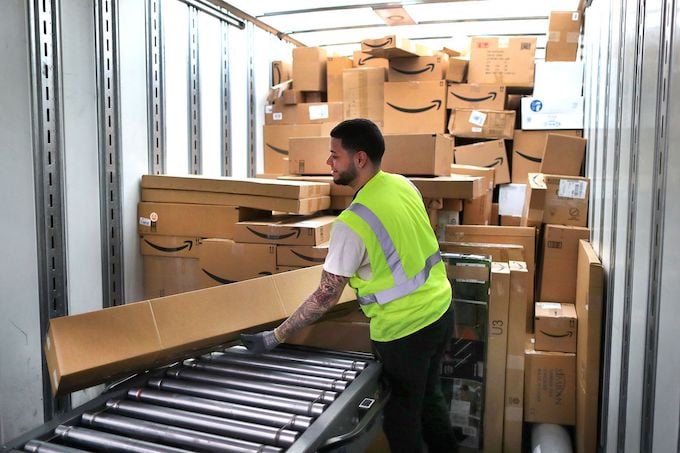
In October of last year, Amazon announced that it was raising employees' minimum wage to $15 per hour. However, the company also stated that in order to pay for them, they will be eliminating hourly workers' monthly bonuses and stock awards. A Bloomberg article reported that one of the theories supporting Amazon's decision to raise its minimum wage to $15 per hour is that perhaps hourly workers will rise to their wage. In other words, the workers will see the raise as incentive pay and increase productivity. It's a nice theory, and it may be the case, but it is a stretch. Amazon meticulously keeps track of its employees, monitoring every function and workers' performance. Because of that, some workers have lost their jobs because they did not meet the performance standards Amazon expected at $15 per hour.
According to an article from the Economic Policy Institute, (EPI), "Workers today who are paid the federal minimum wage of $7.25 an hour are, after adjusting for inflation, paid 29 percent less than their counterparts 50 years ago. This is despite the fact that the economy's capacity to deliver higher wages has doubled in the last 50 years, as measured by labor productivity, or the amount of output produced by workers. In the article, Ben Zipperer, an economist with EPI states that a national $15 minimum wage by 2024 is an important corrective to ensure that low-wage workers share the benefits of economic growth and that workers in every region of the country will soon need $15 per hour to maintain a modest but adequate standard of living.
What Should You Pay?
The economists, bleeding heart liberals, ultra-conservatives, business owners and labor leaders all have their own thoughts and feelings about the subject of increasing the minimum wage. Some use graphs and charts, others use portraits of homeless single mothers, while still others cry for the need of less government intervention. Many provide statistics that supposedly prove that the economy will be better (or worse, depending on which side), for increasing the minimum wage substantially. But for many business leaders, finding the magical sweet spot of the minimum wage to pay for hourly workers is more of an art than science. It is more about taking the pulse of your current economic market, and labor market, to determine what the company can afford to pay vs. what it would take to attract and keep quality employees.
A FoxBusinessNews article found the following businesses raised the hourly worker pay above the current mandated minimum wage rate over the past year:
- Amazon-$15 per hour
- Costco-$14 per hour
- Target-$13 per hour
- Walmart-$11 per hour
- CVS-$11 per hour
Many companies that are increasing their minimum wage are doing so based on the current job market, trying to retain hourly workers. Other businesses are considering increasing the wage due to pressures from outside the business. According to the Fox piece, Genna Gent, Vice President of Government Relations for McDonalds, wrote to the restaurant association stating that an increase in the minimum wage should be phased in, and that all industries should be treated the same way. This is after McDonald's baulked at increasing the standard to $15. It will be interesting to see how the Walmarts and Amazons of the world fare with their recent wage hikes, but studies have shown that increasing wages is an incentive that provides greater productivity, at least in the short term.
Answering the question of what you should pay your hourly workers can be tricky. Many variables will need to be considered before determining what that magic number will be. These include:
- Current market rate for hourly workers
- What your industry pays for hourly workers
- What your competition is paying hourly workers
- What you can realistically afford to pay hourly workers
A great place to start is the Bureau of Labor Statistics site. There you can find wages for over 800 occupations in 400 industries, by state and metropolitan areas. Use these figures as your starting point then whittle it down using your market area and good old-fashioned gut feeling.
Minimum Wage is Just a Standard
The Raise the Wage Act currently in the House of Representatives (H.R. 15) and the Senate (S.1242) will increase the federal minimum wage to $15 per hour by 2024. While this will be a law with hefty consequences if violated, there are no penalties for paying more than the minimum. In fact, to attract the best hourly employees before the competition does, it may be wise to consider finding a way to stay ahead of the bare minimum.
Raising your minimum wage too high can result in having to make cuts in other areas, (like Amazon), eliminating jobs and some benefits. Before simply increasing your minimum wage for hourly workers, take some time out and weigh all the costs involved. See if instead of increasing the wage across the board, that you find a way to pay for performance only. Pay more for your outstanding performers to reward them and to send a message to others that it is possible to make more money by increasing productivity. Be creative and play with the numbers to find your sweet spot and be sure to communicate any wage hikes to your team members.