






As a manager, dealing with employee performance issues can be tough. Most people don’t like receiving negative feedback. The problem is, the longer you wait without saying anything, the more productivity suffers. The lack of prompt feedback will normalize the performance issue.
This is why communication with employees is vital. If you need to have that difficult conversation with an employee, make sure to have it early - early intervention is always the best course of action.
Here are some tips on how you can deal with employee performance management issues, particularly for hourly employees.
Give Regular Feedback
Giving both positive and negative feedback to employees is important for efficient performance management. Positive feedback is valuable as it shows you value your employee. At the same time, it helps to ensure that they maintain their good performance. Meanwhile, negative feedback gives the employee an early opportunity to fix their mistake.
Bear in mind, however, the difference between constructive and unconstructive feedback. When giving constructive feedback, you point out where the employee is going wrong. Then you offer a solution to their problem. Unconstructive feedback, on the other hand, is just criticism. It demoralizes the employee as they have no chance to fix their mistake. Doing this can be detrimental not only to the employee but to the whole team.
Additionally, it is important for employees to communicate their feelings on the feedback they receive. Do they think it’s fair? After all, there may be a good reason behind an employee’s poor performance (more on this later). Allowing them to defend themselves helps to prevent feelings of resentment as well. Not to mention, it will also help you understand the situation from the employee's perspective.
Create a Performance Improvement Plan
If an employee is performing poorly, you may want to create a performance improvement plan. A performance improvement plan is a formal document that outlines an employee’s performance issues. It also sets goals that the employee has to achieve to improve their work performance.
Here are steps you should follow when writing the plan:
- Establish an objective. (For example, to decrease the time spent completing a customer's payment transaction.)
- Establish a time frame for achieving the objective.
- Establish criteria or metrics for achieving the objective. (For example, the employee must complete the transaction within 1 minute.)
- Decide how often the manager and employee need to discuss progress.
If the employee’s performance isn’t monitored, the issue can return as he/she may assume that their performance is acceptable. It is useful to refer back to the performance improvement plan from time to time. This helps you determine whether there’s an improvement in the employee’s performance.
Have The Talk At The Earliest
As with most things, you need to deal with performance issues as soon as possible. Although it can be difficult, it is always the best course of action in the long run. It gives the employee a chance to quickly fix their mistake before it becomes a habit. It also shows the employees that the manager is closely managing their team.
Besides, if you deal with the issue at the earliest possible time, you can quickly address the root of the problem. If an employee’s poor performance is, for instance, due to personal issues, you can suggest the employee swap shifts with another for the meantime.
Just make sure that the employee understands where they are going wrong and the steps they need to take to improve. Such adversity can always be turned into an advantage.
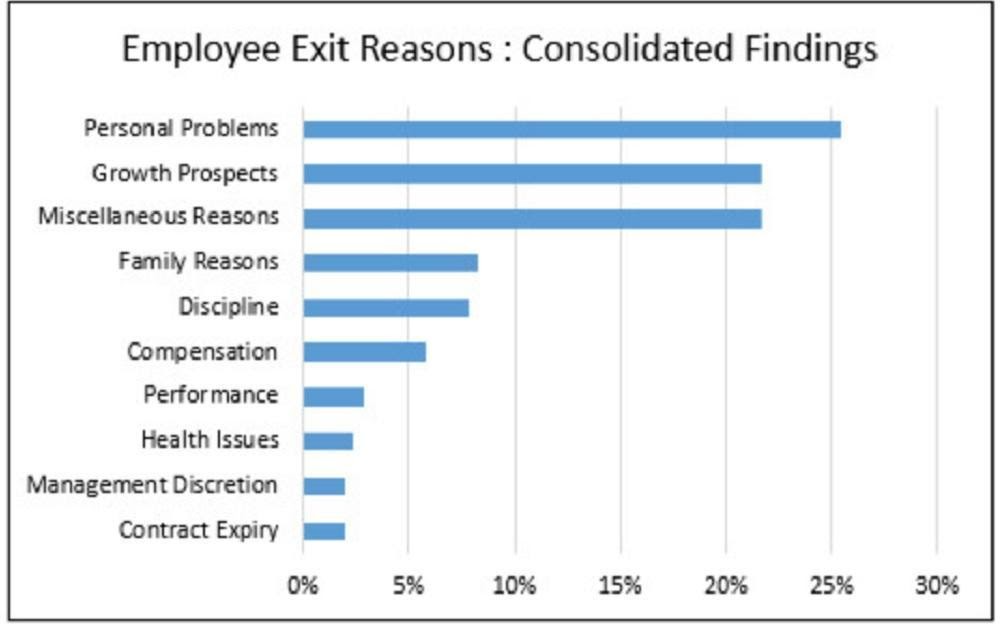
Source: Linkedin
What if the employee shows no interest in improving their performance? In that case, it might be time to dismiss them. Do note that this action shouldn’t be taken lightly as unfair dismissals can lead to lawsuits. But if there are no better options, proper preparation for the worst-case scenario is crucial. And this is where the documentation comes in.
Ensure You Document Everything
It is important to have adequate documentation of your employee’s performance. Aside from that, you may also want to track all of the conversations between you and your employee. In other words, emails and text chains should also form a part of your documentation.
Why do you need these? Well, if the employee reacts badly to dismissal because they feel that it is unjustified, these documents can be used as evidence that the company arrived at a fair decision. It wouldn’t just be your word against the employee's. In short, the documentation helps to protect you against lawsuits.
If the situation goes smoothly, the employee will feel less hard done by when they see proof of how they performed and how the management’s decision was based on that.
Acknowledge Their Improvement
On the other hand, if an employee improves, their improvement should be acknowledged. If you do this, you can expect further improvement because of higher morale, and thus, better employee retention. Failing to do so can lead to their performance taking a downturn again.
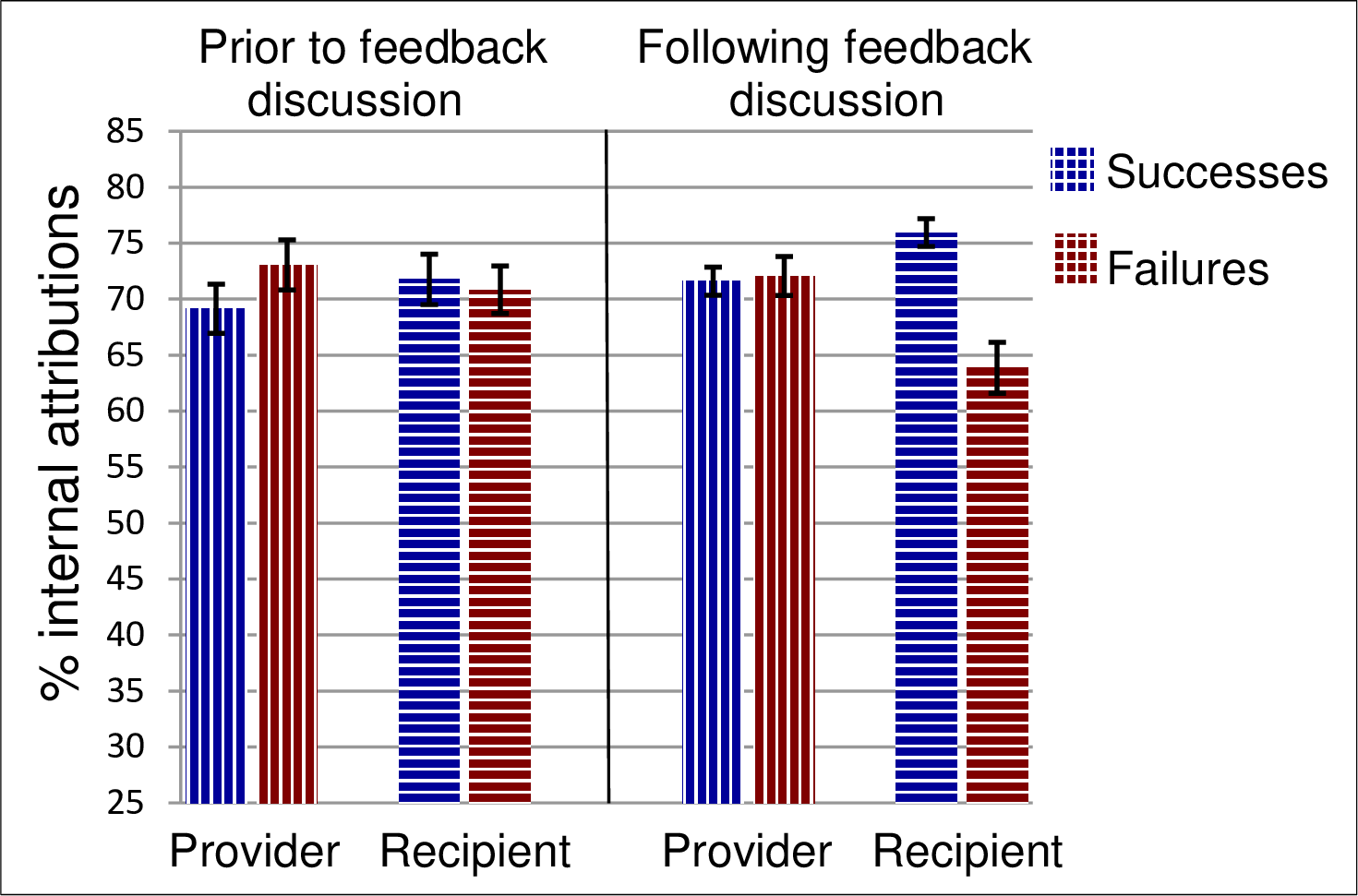
Source: Europepmc
There are many ways you can acknowledge your employee’s performance improvement. For one, you can thank them in front of the entire company or send them a gift. You can even take them to lunch! It doesn’t matter how you do it - the point is, you want employees who go the extra mile to feel that you appreciate their efforts.
In Summary
Proper employee performance management is key to a company’s success. At the end of the day, you need to ensure that all employees are performing as they should. When teams meet their goals, the business, by extension, meets its goals too.
In this article, we discussed some of the ways you can achieve this. Always maintain a feedback loop with employees. Employees need to know both the positive and negative aspects of their performance. Make sure you don’t avoid that difficult conversation when you identify any form of poor performance.
Quickly implement a performance improvement plan to ensure an employee knows how to get back on track. Documenting an employee’s performance is very important too. It helps you track their progress at work and protects you from possible lawsuits.
Consider following these tips to improve your team's productivity and efficiency. This way, your company may be well on its way to success.