





In today’s hiring landscape, two things are key throughout the process: speed and engagement.
We’ve seen businesses that invest in how fast and how well they communicate with applicants reap lasting hiring rewards. To help explain how we compiled data from actual Workstream customers.
Here are our findings—along with some of our recommendations—for sourcing, communication, screening, and scheduling best practices you can use to hire hourly workers faster.
Why speed matters
Research shows that hourly workers typically apply to several jobs at once—often up to eight at the same time. Which job an applicant pursues can ultimately come down to which employer reaches out first and gets them through the hiring process to a job offer faster.
When you take your time and hesitate to respond, you run the risk of giving applicants the opportunity to move on.
Why engagement matters
Hourly workers want to be treated with respect and feel like potential employers see them as a person—not like someone disposable or easily replaceable. This can be as simple as following up with them in a timely manner, knowing their name, or getting familiar with their background.
And that starts with how you engage with people from the moment they apply. Although many communication touchpoints are automated, it’s still up to you to give things your personal touch.
How speed and engagement work together
Being able to get your open positions filled in a timely manner with the best applicants available is the ultimate goal for most hiring managers, people leaders, and business owners. By working on speed and engagement, you’ll see positive results in your organization’s hiring performance—especially if you have HR technology to streamline the process from start to finish.
To offer you a more in-depth understanding, we compiled data from customers to show how real businesses and hiring managers balance speed and engagement to turn applicants into new hires faster.
Sourcing
For many hiring managers or business owners, sourcing applicants can seem daunting and tedious at first. But when approached with a fresh perspective and a little imagination, it can become a fun and effective way to set yourself apart from other employers and attract a wider range of applicants.
Most employers go directly to online job boards when posting an open position. Though helpful for finding applicants quickly, job boards are slowly becoming a thing of the past. They’re lazy in nature and not always effective in finding qualified candidates or getting the engagement you need.
For many job board applicants, quantity is more important than quality. Which means that they’ll apply to several jobs at once, hoping it increases their odds of getting hired. In the process, they become less selective (or invested) in each job. And worse, not really a fit for your opportunity.
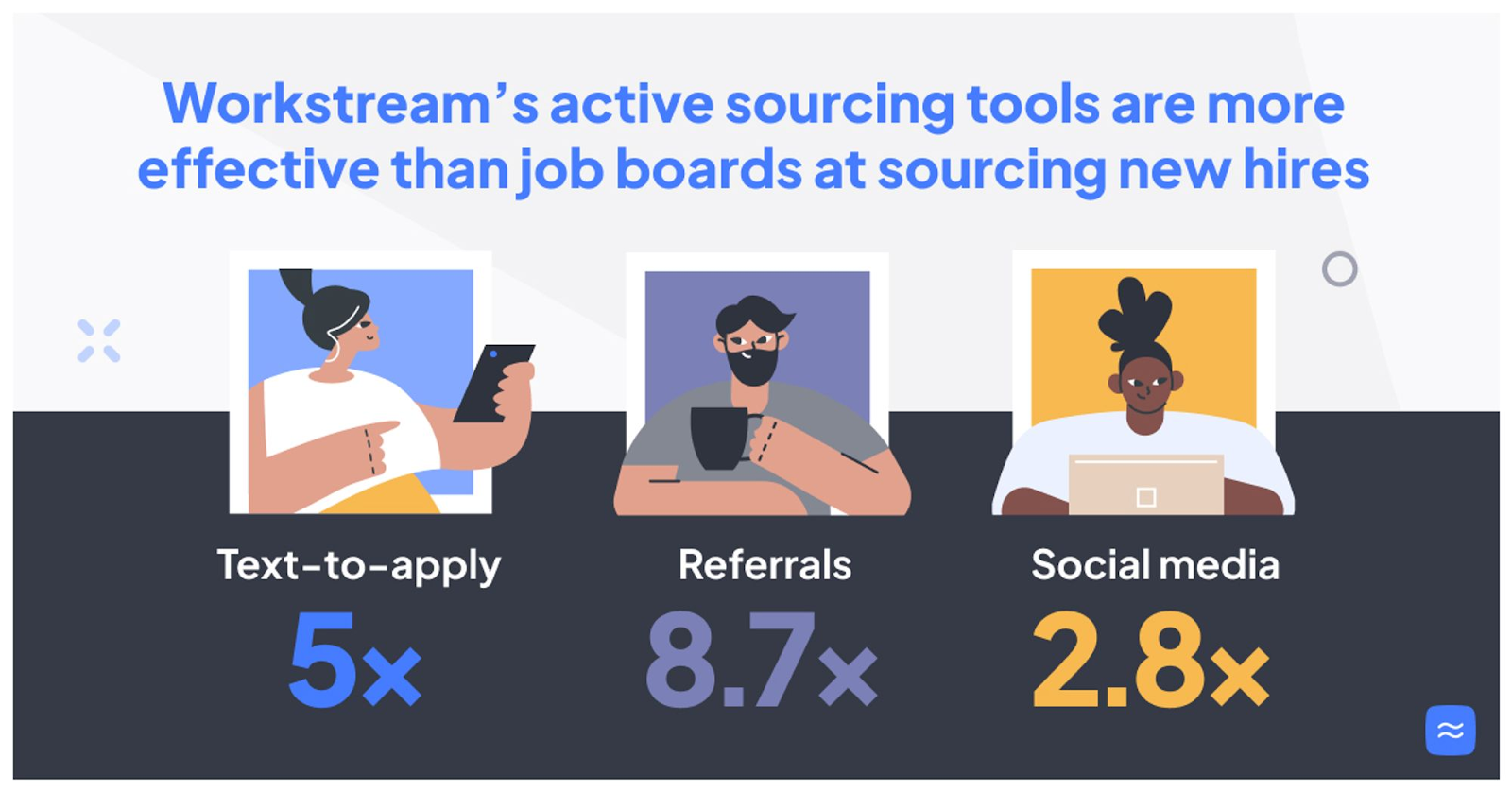
Instead of a job-board-only strategy, consider more effective active sourcing tools to convert more of your applicants to hires, specifically text-to-apply, referrals, and social media.
Text-to-apply
Our data shows that text-to-apply is 5x more effective than job boards at sourcing new hires.
Why? For a potential applicant to see (and respond) to a text-to-apply opportunity, it’s more than likely that they’re already engaging with your brand and are a frequent visitor to your business. If they like your company enough to take the next step and choose to work for you, why miss out?
You’ll find that text-to-apply candidates are more likely to be committed to (and motivated about) your particular opportunity versus another job post they found randomly in an online search.
With this in mind, prominently display text-to-apply posters and table tents within your business. The same goes for signage in your community and online for those following your brand.
Taking the initiative to source from your existing customers for job applicants demonstrates that you’re an engaging, discerning employer that appreciates its fan base and takes the extra step to capture their attention. Plus, you benefit by recruiting people familiar with your business.
Referrals
Our data shows referrals are 8.7x more effective than job boards at sourcing new hires.
It comes as no surprise that word of mouth is among the most powerful recruiting tools. Really, what better way to find your next hire than through the connection (or endorsement) of existing team members who already love working for your business?
Selecting applicants from your employees' friends and family networks gives you a big advantage no job board offers: Instant credibility and trust in the form of someone who can personally vouch for your business. It also answers the question most applicants wonder: “What’s it really like to work here?”
By setting up a formal employee referral program, you can also increase engagement with your current staff. Adding incentives, rewards, or bonuses for referrals not only encourages employee participation—it’s a way to give back to your team, show you care, and get to know them better.
Social media
Our custom data shows social media is 2.8x more effective than job boards at sourcing new hires.
As alluded to earlier, social media is an ideal resource to access job applicants who are familiar with your brand and have a positive opinion about your business. Promoting open roles on your social channels creates a direct path for an interested fan to become someone intent on working for your business.
Maximize your chances of success with social media sourcing by developing (or bolstering) your existing social media strategy. Creating engaging content about your brand (and don’t worry, you don’t have to do all the work) is a great way to expose your company to a wider audience and expand beyond your in-person audience. Check out some quick tips for social sourcing in the video below.
Sourcing is a crucial step in the applicants’ journey, so make it count. Don’t abandon job boards entirely, but know that other sourcing tools increase engagement and are more likely to convert.
Communication
As mentioned before, the average hourly worker looking for a new job opportunity will apply to up to eight jobs at the same time. As an employer in this environment, it becomes a race for who gets to those applicants first. Once you gain an edge in sourcing, communication is next.
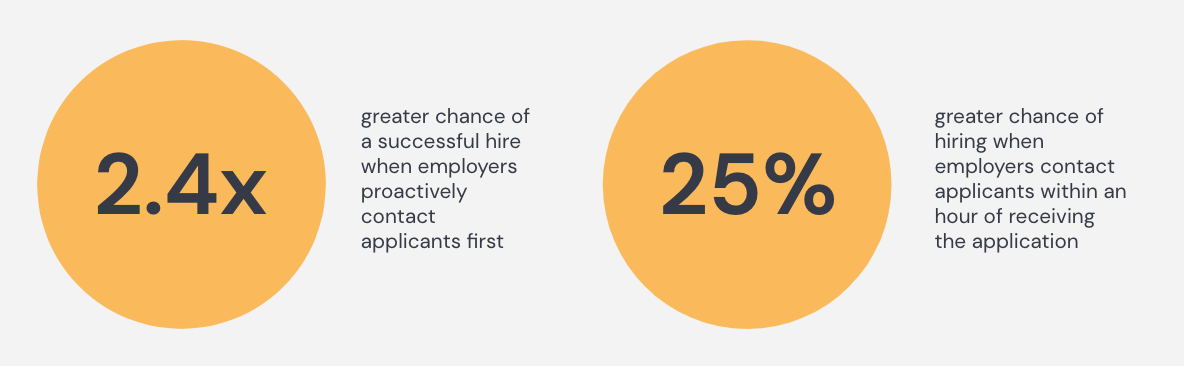
If you’re looking for a simple yet effective competitive advantage, remember how quickly you engage applicants makes a big difference. Our data shows that you have a 2.4x greater chance of a successful hire if you proactively contact the applicant before they can contact you.
On top of that, the chance of hiring becomes 25% greater if you contact candidates within an hour of receiving their applications. But how realistic is this response time in practice?
Using technology like Workstream, you can send automated messages at key touchpoints like this. Of course, having automation in place doesn’t mean you can be 100% hands-off at hiring. Plan on adding some personality to your communication to show it’s not just a robotic process.
Your communication strategy with new applicants could look something like this:
- You get notified once a new applicant enters the system through the Workstream app.
- Simultaneously, your applicant receives an automated “Thanks for applying” message.
- Now, quickly pull up their application in the app and scan through it to find something fun or unique. Maybe you noticed that they applied through an in-store text-to-apply poster.
- Send the applicant a text like “Got your application. Thanks for visiting our store today.”
Reaching out to applicants with a personalized message within the first hour is just as easy as that. Whether you mention them by name, acknowledge their most recent job’s relevance to the open position, or bring up the employee they used as a reference, adding a human touch works.
It also proves you’re an employer committed to improving the worker experience—and willing to bring that approach to new applicants and potential employees.
Screening
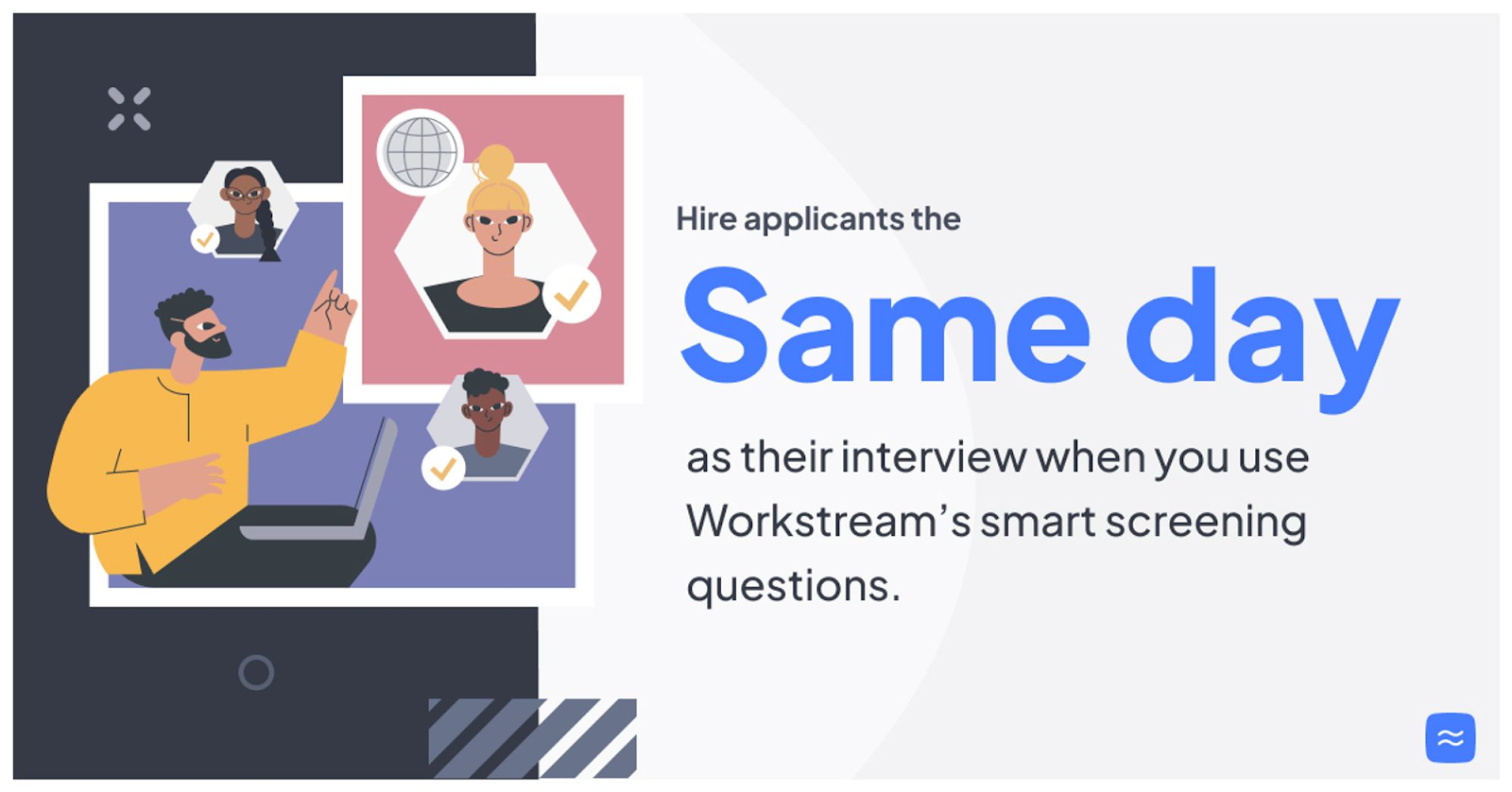
Using smart screening questions makes it possible to hire job applicants on the same day as their interview. Once you set up your automatic screening process, you can access the most qualified candidates faster—while saving yourself time otherwise spent going over applications manually.
Screening questions should be relevant to the specific job opening and incorporated into your online application process—advancing applicants to the next step based on their responses.
Here are a few of the questions actual Workstream customers use to screen applicants:
- Do you have a driver’s license?
- Are you at least 18 years old?
- Do you have previous management experience?
So, what’s the advantage of using smart screening questions to advance applicants faster? You get to your qualified applicants faster—complete with a 2.4x greater chance of a successful hire which includes a 25% greater chance of hiring those candidates if you contact them within an hour after they applied. Overall the sooner you can speak to a qualified applicant, the sooner you can engage them—allowing them to move on to the next hiring stage sooner than usual.
No one likes to wait around for an employer to get back to them. With solutions like Workstream and its screening capabilities, your applicants no longer have to—giving you a clear advantage.
Scheduling
The interview scheduling process can be painful for hiring managers and job applicants alike. It typically takes several back-and-forth messages and conversations to settle on a date and time that works for all parties involved. The longer it takes, the easier it becomes to lose momentum—and for your good applicants to become frustrated and discouraged about their experience with you.
Conversely, the sooner you can bring those applicants in for an interview, the more likely they are to become new hires. This is not only because you’ve helped your applicants avoid the drawn-out process of getting to the interview. It’s also due to the great impression you make.
With Workstream, you can differentiate your business by allowing applicants to schedule interview times for themselves—all based on the predetermined availability you set up in the system.
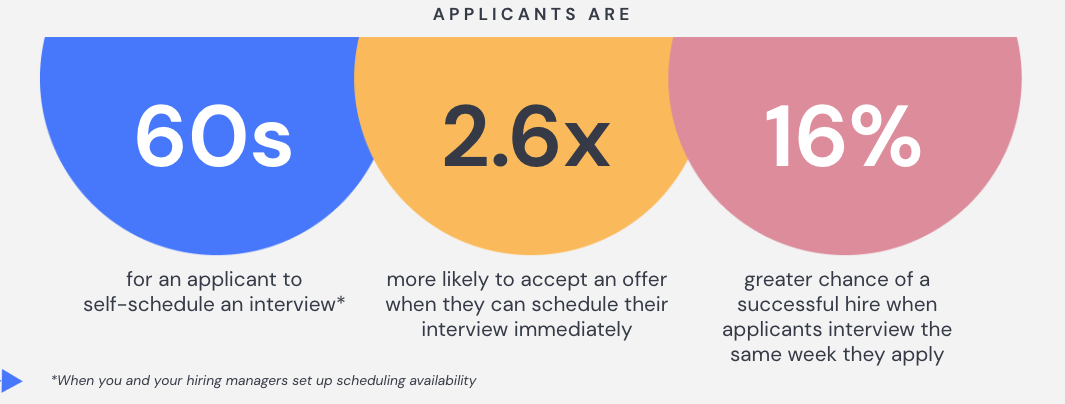
We’ve seen applicants self-schedule interviews in as little as 60 seconds entirely on their phones. Besides cutting down on time and the annoyance, our customer data shows that:
- Applicants are 2.6x more likely to accept an offer when they can schedule their interview immediately—likely because they appreciate the extra effort given to make things easier.
- Employers have a 16% greater chance of a successful hire when applicants interview the same week they apply. It all goes back to meeting those qualified applicants sooner.
- Besides getting your applicants in for an interview before other employers competing for their attention, providing a fun and engaging interview experience can also secure a hire.
Getting interviews scheduled sooner and candidates hired faster gives you the edge you need in a competitive job market—allowing you to hire workers you’d otherwise lose to other employers.
Make the most of your time and effort
You don’t have to sacrifice speed for good engagement or good engagement for speed. Finding a healthy balance of both will help your business institute a more effective and positive applicant experience—one that’s proven to get more hires and differentiate you from other employers.