

<img height="1" width="1" style="display:none" src="https://www.facebook.com/tr?id=395330474421690&amp;ev=PageView&amp;noscript=1">
Working 4 Hourly Jobs to See Myself Through MIT and Harvard
Workstream Blog

Working 4 Hourly Jobs to See Myself Through MIT and Harvard

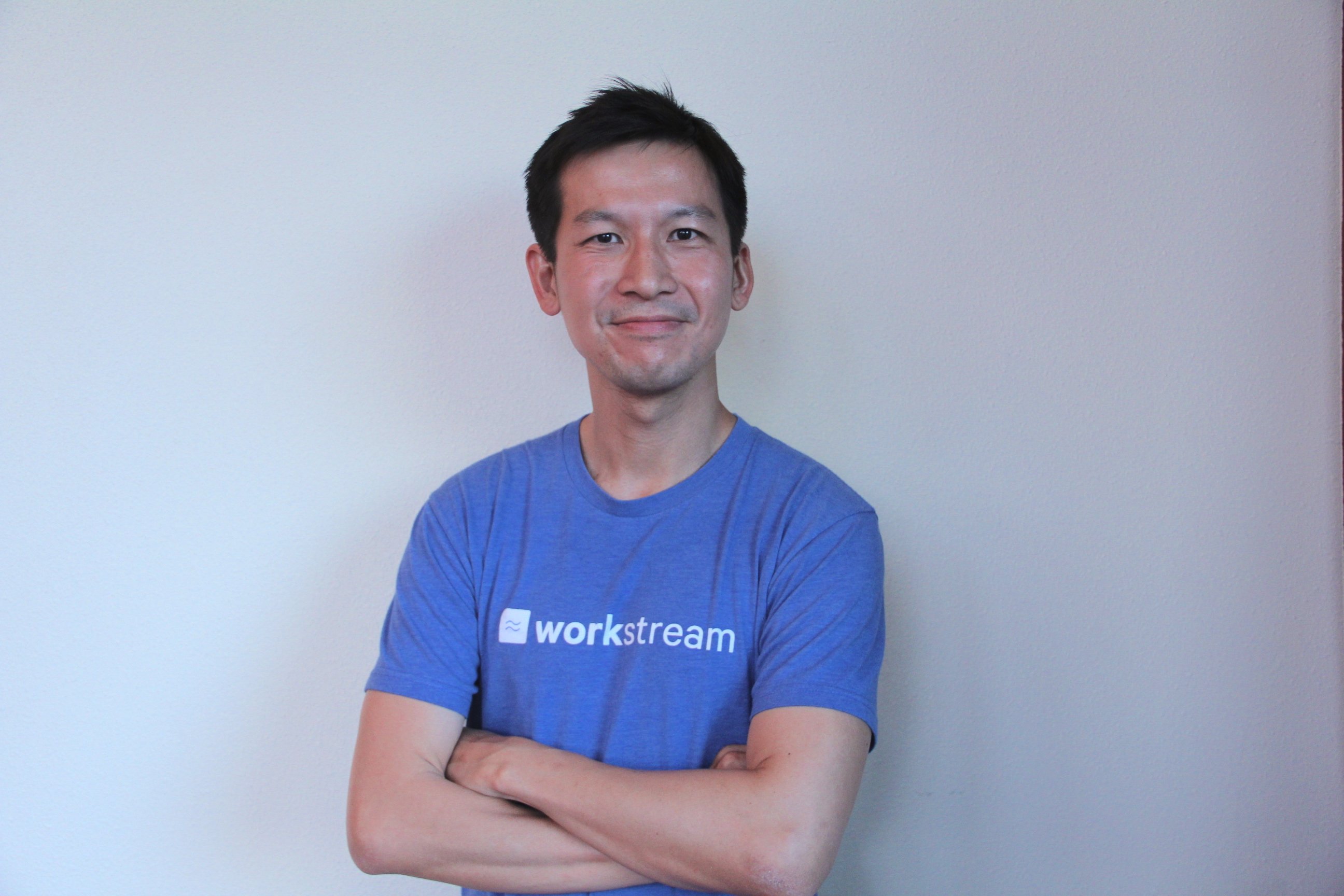
By Desmond Lim

Get the latest with Workstream

Always stay current with hiring news by subscribing to our email updates

Exactly five years ago today, on Sep 30, 2013, I packed all of my life's belongings in two suitcases and left for school in Boston. I was going to embark on a new journey, and I was excited, yet worried at the same time. Attending graduate school would mean a lot of learning, experiences, and fun. But I also knew that I needed to be able to pay for the hefty school fees, living costs, and more. Therefore, I quickly spoke to my seniors from school, did some research, and started applying for hourly jobs throughout MIT and Harvard that would allow me to generate the income needed to pay for my school fees. 

Reflecting back, the hourly jobs that I worked on in my first two years in the United States was instrumental in enforcing my understanding of hard work, grit, and paying back. At the same time, I was able to improve my personal skill sets, including public speaking, mentoring, language skills, and more. It was an enriching experience working hourly jobs. 

I had an amazing time working hourly jobs to see myself through MIT and Harvard and I would love to share my experiences with you. Here are the different hourly jobs that I did while I was in Cambridge, Massachusetts. 

1. I worked as an hourly tour guide for Harvard Student Agencies

There are thousands of tourists that show up at the Harvard yard every week. They come from China, Korea, Japan, Europe, and more. I wanted to have an experience that would allow me to improve my public speaking skills, meet new people and introduce Harvard to potential future students (most tour guides came with parents, who wanted their children to one day attend Harvard, and the children themselves.)

In order to get up to speed, I needed to fill up a paper application form from Harvard Student Agencies (which took me 2 hours), trek all the way to the office to submit the form (wish Workstream existed then!), and do manual paper on-boarding. At the same time, I needed to memorize the three lies of John Harvard, the "founding father" for the university, learn about the different routes of the school, and shadow a few of the more experienced tour guides. After over 10 hours of in-person training, I was ready to go! I started working for $25 per hour for the job and had a range of fun experiences from showing high school students from Japan to bringing a group of professionals on a fun tour of Harvard. 

2. I served as a resident advisor at MIT with one of the fraternity/living groups

This was one of the most memorable experiences of my time in Boston, where I served as a resident advisor for Epsilon Theta, or "ET", a fraternity of a co-living group within MIT. I was provided with a room and board, lived with 25 brilliant MIT undergraduates majoring in computer science, physics, and mathematics, and learned a bit more about engineering, American culture, and living with really smart people. 

As a resident advisor, I needed to organize activities (of course I organized bi-weekly basketball sessions), mentor the students, and be a friend whenever they needed a listening ear. During my time at Epsilon Theta, I met many good friends. This includes living next to a student who came to MIT when he was just 15 years old (he's now doing his Ph.D. at Stanford at age 19), going for morning runs with the students, and talking about programming. 

3. I worked as an hourly translator for Harvard Business School professors

At the same time, I signed up to be a translator at Harvard Business School for several professors who were hosting professionals from China. There is a huge interest in classes at Harvard Business School with regard to finance, law and economics. I conducted research online and found one of the school job boards which was looking for fluent Mandarin speakers. I then went through a 3-round interview process and got the job. The job was great as it had an hourly wage of $50 per hour due to the technical translation needed. I put in hours preparing for the various translation jobs in between my classes and was able to save money to cover my school fees. 

4. I signed up as an advisor and mentor for Harvard college students 

Finally, I also signed up as an advisor at Harvard’s Adams House - the house of many famous alumni including Henry Kissinger, Andy Borowitz, and more. As an advisor, I met many students whom I count as friends today, including Noah (who is an amazing engineer presently), Christina (who used to compete in the Olympics for the United States in figure skating), and Edward (an outstanding tech entrepreneur today). I worked office hours where I would provide career guidance, feedback on resumes, and set goals for these students. 

Juggling 4 hourly jobs during the time that I attended graduate school and taking classes, while at the same time starting a logistics startup at Harvard Innovation Lab and figuring out the next steps in life was a challenge. But it was also fulfilling, exciting, and laid a strong foundation for me. Both of my parents were hourly workers and I grew up in my family learning about the different challenges an hourly worker faces. To be able to see myself through graduate school by taking on different hourly jobs and learning new skills was the very experience that inspired me to start Workstream, an automated hiring platform for companies hiring hourly workers. 

I love to trade stories and hear about your hourly job workers. Was there a time that you, too, worked as an hourly worker? 

By Desmond Lim
Desmond Lim is co-founder and CEO of Workstream, a text-based hiring platform for local businesses hiring hourly workers. He is a graduate of Harvard University and MIT Media Lab, former Product Manager at WeChat, and investor at Dorm Room Fund. He contributes to Entrepreneur.com, Workstream Blog, and Huffington Post. He splits his time between San Francisco and Utah, and represented the Singapore National Team in basketball.

Personal Information and Sensitive Personal Information

Before we discuss the right to limit and the right to opt-out, we must first define personal information and how it relates to sensitive personal information.

Personal information is any data that identifies, relates to, or could reasonably be linked to you or your household. A few examples of personal information include:

  • Name or nickname
  • Email address
  • Purchase history
  • Browsing history
  • Location data
  • Employment data
  • IP address
  • Profiles businesses create about you, including pseudonymous profiles (β€œuser1234”)
  • Sensitive personal information

Sensitive personal information or β€œSPI” is a subset of personal information, defined as:

  • Identifying information (e.g. social security number, driver’s license)
  • Financial data (e.g. debit or credit card numbers)
  • Precise geolocation (within a radius of 1,850 feet)
  • Demographic or protected-class information (e.g. race/ethnicity, religion, union membership)
  • Biometric and genetic data (e.g. fingerprints, palm scans, facial recognition)
  • Communications and content (e.g. mail, email, text messages)
  • Health and sexual orientation (e.g. vaccine records, health history)

Right to Opt-Out

Californians have the right to opt-out of the sale and sharing of their personal information. That means you have the right to opt-out of the sale of your personal information to third parties (e.g. data brokers, advertisers). You also have the right to opt-out of the sharing of your personal information to prevent the targeting of ads across different businesses, websites, apps, or services.

CCPA-covered businesses must provide a link to allow you to exercise this right. It is usually found at the bottom of a webpage and will say β€œdo not sell or share my personal information” or β€œyour privacy choices.” Sometimes businesses offer privacy choices through a pop-up window or form

To opt-out of the sale and sharing of your personal information, click on the link or use the toggle provided by the business and follow the directions. Doing this on every website you visit can feel burdensome, but to ease the burden you can automatically select your privacy preferences for every website by using an opt-out preference signal, or OOPS for short.

An OOPS is a user-friendly and straightforward way for consumers to automatically exercise their right to opt-out of the sale and sharing of their personal information with the businesses they interact with online. An OOPS, such as the Global Privacy Control. It can either be a setting on your internet browser or a browser extension. With an OOPS, consumers do not have to submit individual requests to opt-out of sale or sharing with each business.

Right to Limit

Californians also have the right to direct businesses to limit the use and disclosure of their sensitive personal information.

Businesses covered under the CCPA must provide a link on their website that allows you to request the limiting of your SPI, if they plan on using it in certain ways. That link will also typically be at the bottom of a webpage and will say: β€œlimit the use of my sensitive personal information” or β€œyour privacy choices.” Once you send this request, the business must stop using your SPI for anything other than to:

  • Provide requested goods or services
  • Ensure security and integrity
  • Prevent fraud
  • Maintain system functionality
  • Comply with legal obligations

Bringing it Together

In summary, the CCPA gives you the right to opt-out of the sale and sharing of your personal information and gives you additional rights to further limit the use and disclosure of your sensitive personal information.

When you exercise these rights together, you exert greater control in protecting your personal data which is important for your identity, safety, and financial health.

If you are on a business’s website and you can’t find the links to exercise your rights, remember to check their privacy policy. The privacy policy should tell you how you can exercise your rights under the law.

If you find your rights being violated, you can submit a complaint to CalPrivacy.

Next in the LOCKED series, we will explore the right to correct and right to know. Follow us on social media to get live updates or check back in one week for the next post.

Essential

Required to enable basic website functionality. You may not disable essential cookies.

Targeted Advertising

Used to deliver advertising that is more relevant to you and your interests. May also be used to limit the number of times you see an advertisement and measure the effectiveness of advertising campaigns. Advertising networks usually place them with the website operator’s permission.

Personalization

Allow the website to remember choices you make (such as your username, language, or the region you are in) and provide enhanced, more personal features. For example, a website may provide you with local weather reports or traffic news by storing data about your general location.

Analytics

Help the website operator understand how its website performs, how visitors interact with the site, and whether there may be technical issues.

Right to Limit Use of Sensitive Personal Information

You also have the right to limit how we use sensitive personal information (such as precise geolocation, financial data, etc.).

Your preference has been saved. We will not sell or share your personal information.
