



<img height="1" width="1" style="display:none" src="https://www.facebook.com/tr?id=395330474421690&amp;ev=PageView&amp;noscript=1">
Preparing Your QSR to overcome any challenge
Workstream Blog

Preparing Your QSR to overcome any challenge

By Workstream

Get the latest with Workstream

Always stay current with hiring news by subscribing to our email updates

If the COVID-19 pandemic taught us anything, it's that you need to be ready for anything. Now that we're on the other side, businesses in QSR especially, have learned quite a few lessons on how to set their businesses up to withstand unforeseen circumstances. To ready your business for whatever the next big disruption to daily life is, consider these guidelines.

1. Be prepared to cater to increased demands

Consumer behaviors and customer expectations can change in an instant. We've seen that firsthand. So how do you prepare your business for the unknown? 

When it comes to QSR scheduling, make sure you have the flexibility built in to be able to pivot your strategy quickly. This might mean pivoting some in-store staff to delivery driving or vice versa.  

When asked 'How often do you plan on dining out?', 50.9% of those surveyed by VP Insiders felt like they would do the 'same as before', while 45.9% chose 'less than before.' It's still essential to ensure that there are sufficient staff on-ground, as manpower will also be required to maintain a safe environment for customers. 

booth seats in a quick service restaurant

31.9% of customers have indicated that they are 'very likely' to use 'curbside delivery' as a service, whereas 18.2% chose 'extremely likely' and 34.4% chose 'somewhat likely.'.

By incorporating curbside delivery, you may be able to reach a greater base of customers, especially those who may not be willing to dine in, but are still a fan of your offerings. 

mc cafe curbside delivery

2. Always put the safety of employees and customers first

Some COVID-era safety precautions have stuck around and for good reason. When asked, 'Are disposable, single-use menus important to you?' 58.7% indicated yes, implying that this is, in fact, something that customers would prefer. But why not take it a step further by providing digital menus that can easily be accessed by scanning a QR code?

Customers can easily scan the menu, decide on what they want and immediately place an order online. Not only does this save the environment, but it also reduces the amount of surfaces your employees need to clean and your customers need to interact with. 

order food via qr code

Another lesson the pandemic taught us, is that if you're sick, you should stay home. Gone are the days of sucking up a cold to get hours in, especially in the restaurant industry. Having a QSR scheduling system in place that allows your employees to easily swap shifts on their own makes it easier for employees to take a sick day without feeling guilty. 

3. Manage your manpower

It's always better to be overstaffed than understaffed. It enables you to continue to provide the same level of customer service and experience, even when your staff may be sick or some unforeseen circumstance suddenly increases demand. Here are some recommendations to help you combat any QSR scheduling crisis. 

Make applying and hiring simple (for applicants and your team)

Through text-to-apply posters, not only can you utilize your physical stores to publicize new job openings, the application process is also convenient and quick! Visitors can scan the QR code on these posters, or text the number displayed to get a link to all open positions. 
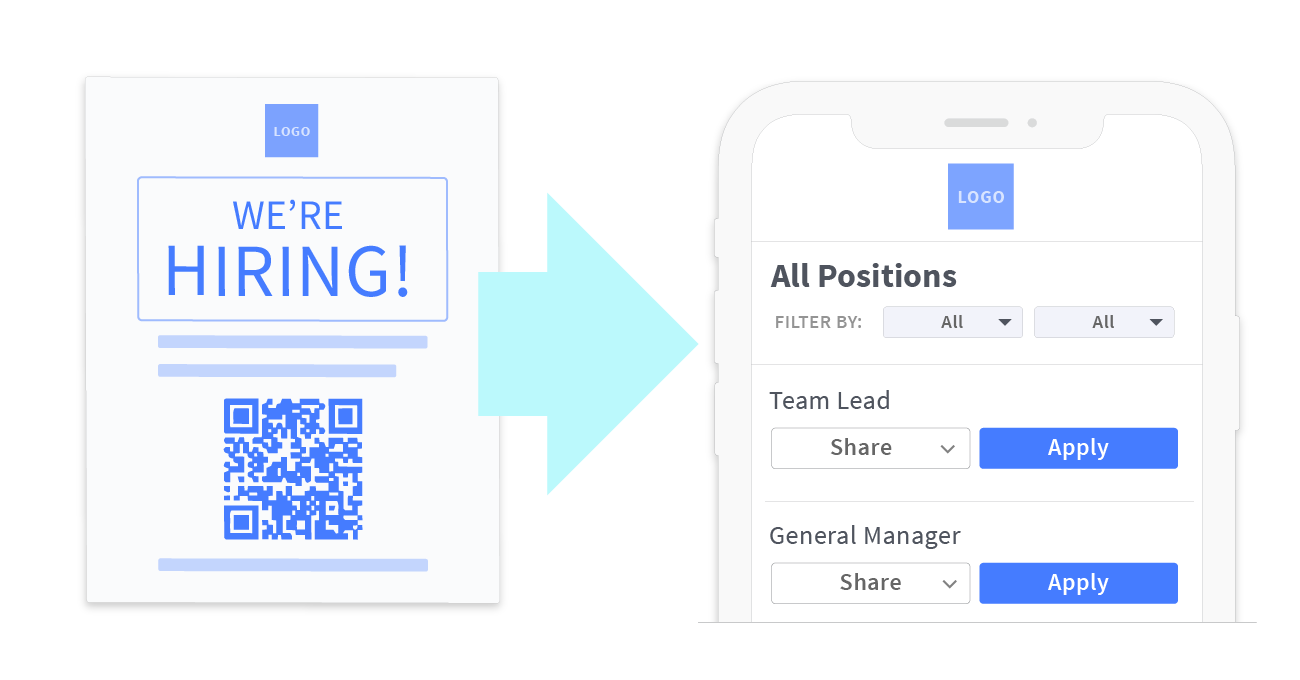
QCandidates TextApply  v01

Job board integrations will also help simplify the hiring process, as hiring managers no longer have to copy and paste to multiple job boards. Instead, they can post to over 25,000 job boards with a single click and view all applicants within a single dashboard. Artificial intelligence is also used to optimize your job postings across multiple boards to ensure that job posts are shown to 10 times as many job seekers.

Move online (and maximize technology)

If increased demand for your service makes it hard to hold physical interviews, why not get applicants to submit a video resume instead? Not only does it set the application process apart from others, but it's also an easy way to narrow down applicants who are genuinely interested in the role. The best part? No more having to sift through hundreds of boring resumes! 

girl taking video

Automated scheduling is another feature that you should consider. With a QSR scheduling app, you can select candidates you'd like to meet, and they instantly get a text message link to your calendar (with pre-allocated time slots) to schedule a Zoom meeting. They will be able to choose a time that best suits their availability and get reminders closer to the interview date. In the event that something crops up at the last minute, they will also be given the option of rescheduling, effectively preventing ghosting.
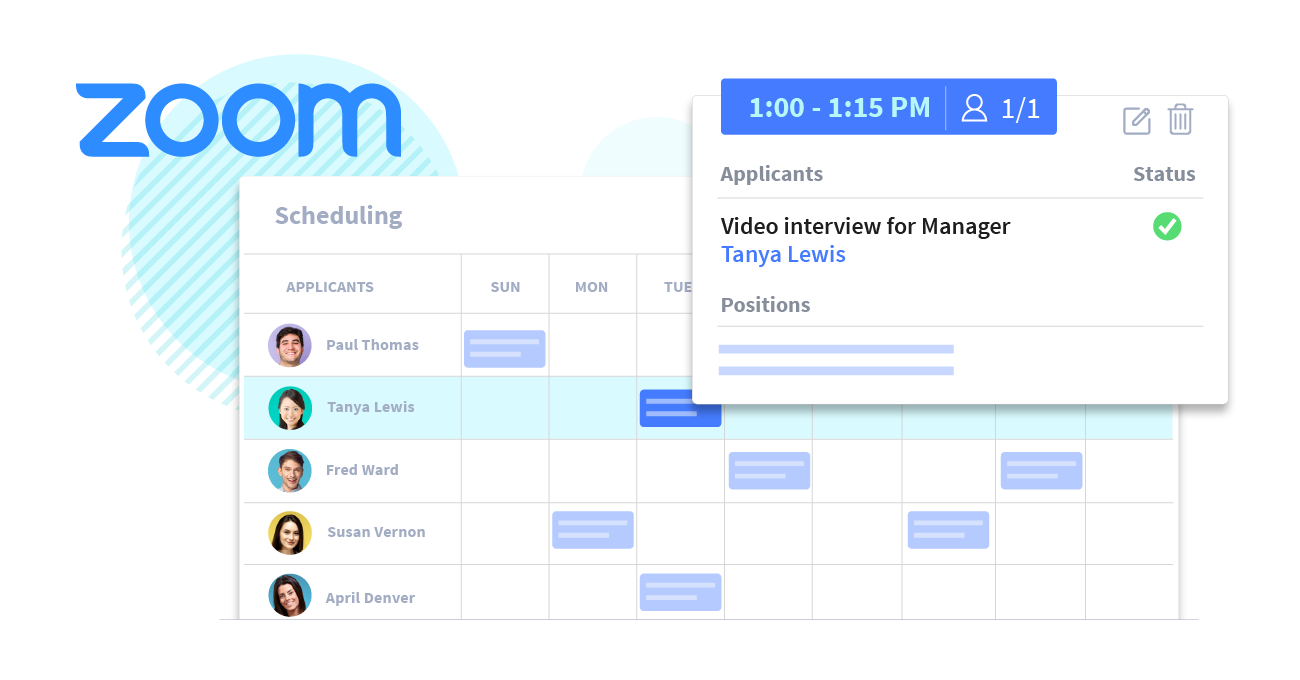
Contactless Scheduling v02

Create a seamless onboarding processes

When you've finally secured a candidate, have an entirely paperless onboarding process by uploading documents online, collecting and storing electronic signatures and setting up trigger alerts for incomplete paperwork. 

Mobile training is an effective way to onboard new staff, as you may send handbooks, checklists and training videos via a text message link, which makes these documents easily accessible. SMS reminders will also be sent to guarantee completion. 
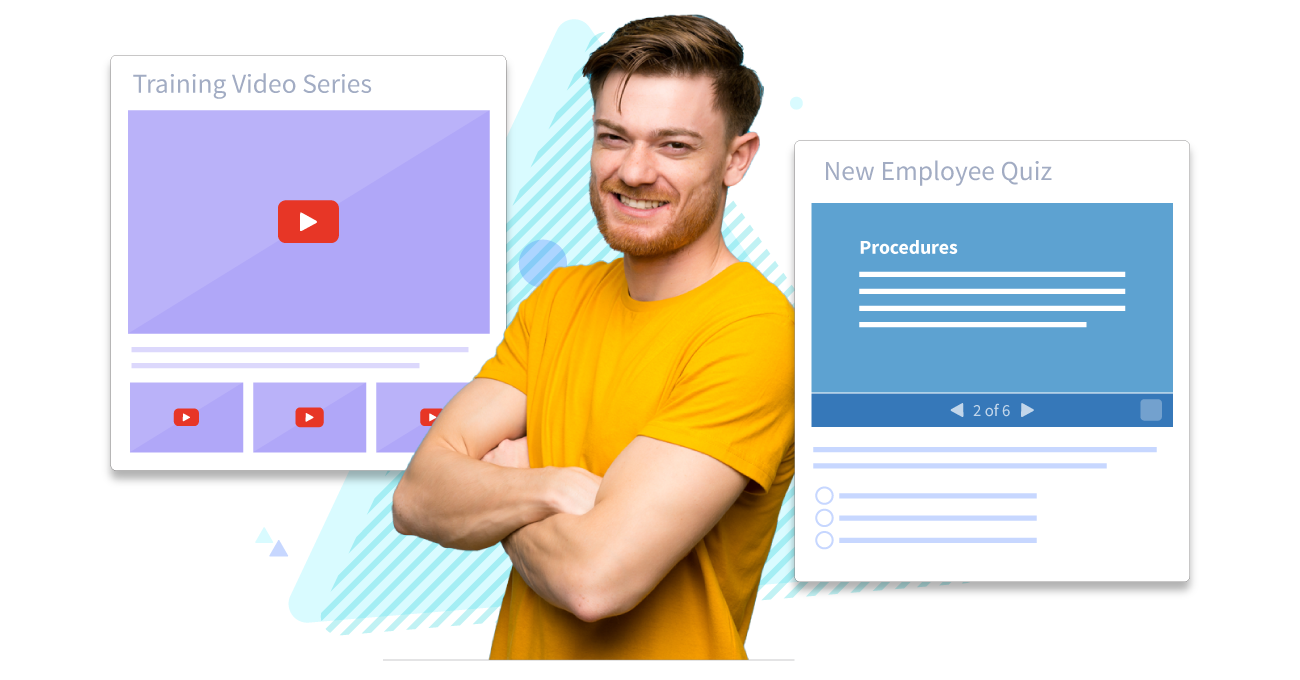
WS-Video-Onboarding

4. Create an online presence through social media marketing and word of mouth

Finally, how can you market your brand to reach your target consumers? More people are turning to their mobile devices to search for best dining spots, widely reviewed locations, and good deals. 

This is further highlighted through customers' responses to the question 'What's the most effective way restaurants can market their offers to you,' with 27.1% choosing text messaging marketing and 23.3% opting for social media. 

Running engaging campaigns, encouraging followers to share your posts and having giveaways are just some ways to increase awareness and brand loyalty on social media. Paying for ads and boosting your posts is another option to reach a greater audience beyond those currently following your brand. 

Most importantly, never underestimate the power of reviews or word of mouth. A 4-5 star review goes a long way, while a 1-star review may also significantly impact your brand image. By maintaining a certain standard of customer service and satisfaction, customers are bound to come back for more. 

social media apps

Still unsure of how to apply these tips to your QSR? Schedule a call with us nowβ€”we're more than happy to help!

By Workstream
Workstream is the leading HR, Payroll, and Hiring platform for the hourly workforce. Its smart technology streamlines HR tasks so franchise and business owners can move fast, reduce labor costs, and simplify operationsβ€”all in one place. 46 of the top 50 quick-service restaurant brandsβ€”including Burger King, Jimmy John’s, Taco Bellβ€”rely on Workstream to hire, retain, and pay their teams. Learn how you can better manage your hourly workforce with Workstream.

Personal Information and Sensitive Personal Information

Before we discuss the right to limit and the right to opt-out, we must first define personal information and how it relates to sensitive personal information.

Personal information is any data that identifies, relates to, or could reasonably be linked to you or your household. A few examples of personal information include:

  • Name or nickname
  • Email address
  • Purchase history
  • Browsing history
  • Location data
  • Employment data
  • IP address
  • Profiles businesses create about you, including pseudonymous profiles (β€œuser1234”)
  • Sensitive personal information

Sensitive personal information or β€œSPI” is a subset of personal information, defined as:

  • Identifying information (e.g. social security number, driver’s license)
  • Financial data (e.g. debit or credit card numbers)
  • Precise geolocation (within a radius of 1,850 feet)
  • Demographic or protected-class information (e.g. race/ethnicity, religion, union membership)
  • Biometric and genetic data (e.g. fingerprints, palm scans, facial recognition)
  • Communications and content (e.g. mail, email, text messages)
  • Health and sexual orientation (e.g. vaccine records, health history)

Right to Opt-Out

Californians have the right to opt-out of the sale and sharing of their personal information. That means you have the right to opt-out of the sale of your personal information to third parties (e.g. data brokers, advertisers). You also have the right to opt-out of the sharing of your personal information to prevent the targeting of ads across different businesses, websites, apps, or services.

CCPA-covered businesses must provide a link to allow you to exercise this right. It is usually found at the bottom of a webpage and will say β€œdo not sell or share my personal information” or β€œyour privacy choices.” Sometimes businesses offer privacy choices through a pop-up window or form

To opt-out of the sale and sharing of your personal information, click on the link or use the toggle provided by the business and follow the directions. Doing this on every website you visit can feel burdensome, but to ease the burden you can automatically select your privacy preferences for every website by using an opt-out preference signal, or OOPS for short.

An OOPS is a user-friendly and straightforward way for consumers to automatically exercise their right to opt-out of the sale and sharing of their personal information with the businesses they interact with online. An OOPS, such as the Global Privacy Control. It can either be a setting on your internet browser or a browser extension. With an OOPS, consumers do not have to submit individual requests to opt-out of sale or sharing with each business.

Right to Limit

Californians also have the right to direct businesses to limit the use and disclosure of their sensitive personal information.

Businesses covered under the CCPA must provide a link on their website that allows you to request the limiting of your SPI, if they plan on using it in certain ways. That link will also typically be at the bottom of a webpage and will say: β€œlimit the use of my sensitive personal information” or β€œyour privacy choices.” Once you send this request, the business must stop using your SPI for anything other than to:

  • Provide requested goods or services
  • Ensure security and integrity
  • Prevent fraud
  • Maintain system functionality
  • Comply with legal obligations

Bringing it Together

In summary, the CCPA gives you the right to opt-out of the sale and sharing of your personal information and gives you additional rights to further limit the use and disclosure of your sensitive personal information.

When you exercise these rights together, you exert greater control in protecting your personal data which is important for your identity, safety, and financial health.

If you are on a business’s website and you can’t find the links to exercise your rights, remember to check their privacy policy. The privacy policy should tell you how you can exercise your rights under the law.

If you find your rights being violated, you can submit a complaint to CalPrivacy.

Next in the LOCKED series, we will explore the right to correct and right to know. Follow us on social media to get live updates or check back in one week for the next post.

Essential

Required to enable basic website functionality. You may not disable essential cookies.

Targeted Advertising

Used to deliver advertising that is more relevant to you and your interests. May also be used to limit the number of times you see an advertisement and measure the effectiveness of advertising campaigns. Advertising networks usually place them with the website operator’s permission.

Personalization

Allow the website to remember choices you make (such as your username, language, or the region you are in) and provide enhanced, more personal features. For example, a website may provide you with local weather reports or traffic news by storing data about your general location.

Analytics

Help the website operator understand how its website performs, how visitors interact with the site, and whether there may be technical issues.

Right to Limit Use of Sensitive Personal Information

You also have the right to limit how we use sensitive personal information (such as precise geolocation, financial data, etc.).

Your preference has been saved. We will not sell or share your personal information.