


<img height="1" width="1" style="display:none" src="https://www.facebook.com/tr?id=395330474421690&amp;ev=PageView&amp;noscript=1">
Introducing Workstream AI, designed for the hourly workforce
Workstream Blog

Introducing Workstream AI, designed for the hourly workforce

By Desmond Lim

Get the latest with Workstream

Always stay current with hiring news by subscribing to our email updates

Since we started Workstream in 2017, we’ve worked to build a smarter way to hire and retain hourly workers. Six years later, the speed of innovation has introduced a new chapter in what’s possible through technology.

AI, or artificial intelligence, is already transforming every industry it touches, and we immediately recognized the potential it holds to make the smarter way to hire and retain hourly workers even smarter. Today, we’re excited to announce a new chapter in our journey as we integrate the power of AI into our platform.

Workstream AI is our commitment to developing AI technology tailored specifically to meet the unique needs of the hourly workforce. Our goal is not just to implement AI for the sake of it but to unlock better experiences for applicants, workers, and managers alike. We’re taking a deep look at the Workstream platform and finding opportunities to enhance how you source, communicate, hire, onboard, retain, and more. And that means building AI that feels like an extension of your recruiting team and your brandβ€”not like a robot. 

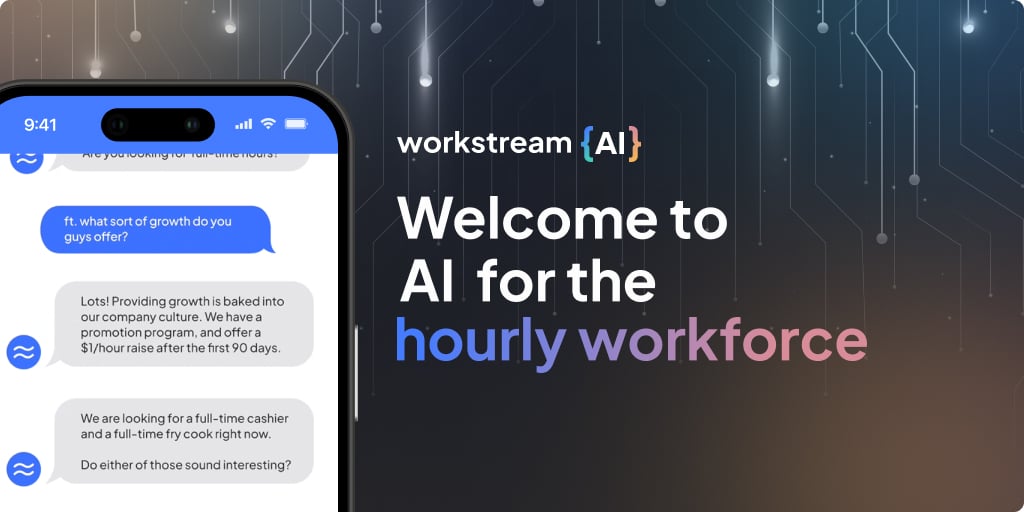
Our journey starts with Workstream Assistant, a chat-apply experience built by our team with artificial intelligence experience from MIT, Google, Cornell, and Stanford. 

So many AI chatbots on the market today claim to do the exact same thing. They promise to provide a smooth application process for workers and a hands-off sourcing and screening tool for hiring managers. But all too often, they fail to deliver on that promise. We’ve seen how easy it is for applicants to accidentally β€œbreak” a bot by asking questions outside of what it has been pre-programmed to answer. And language barriers and typos can make texting with a bot harder than talking to a human.  

We’re building Workstream Assistant to solve those problems and so much more. At its core, Workstream Assistant is personal, flexible, and customizable. It gives businesses the freedom to own their AI experience so it feels like your technology, not ours. At the same time, for applicants, it barely feels like technology at all. They can’t β€œbreak it” with the wrong question. They can speak to it in any language they feel comfortable in. And they can get a real feel for the job and the company they’re applying for by asking the questions they might be too nervous to ask in an interview.  

Beta customers today are already leveraging Workstream Assistant to: 

  • Customize AI for their brand: Our AI learns your brand's unique voice, enabling you to create a more personalized and engaging experience for applicants right from the start.
  • Break language barriers: Applicants can chat in any language they feel comfortable with, unlocking a greater portion of the applicant pool. 
  • Have authentic conversations: Gone are the days of robotic and formulaic conversations. We've designed Workstream Assistant to engage in human-like conversations, incorporating typos, slang, and personal preferences. Applicants will feel like they're interacting with a real person, fostering a genuine connection. 

And there is so much more to come! We envision a future where our tool not only gives you another way to source applicants but it improves the quality of your applicants, makes it easier for your workers to answer on-the-job questions, and empowers your leaders with insights, transforming how you run your business. 

We are so excited by the possibilities Workstream AI can unlock for workers and leaders in the hourly workforce, and we want you to join us. I’m thrilled to invite you to sign up for the Workstream AI beta. You’ll be one of the first to try Workstream Assistant and get early access to other AI products and updates as they become available. 

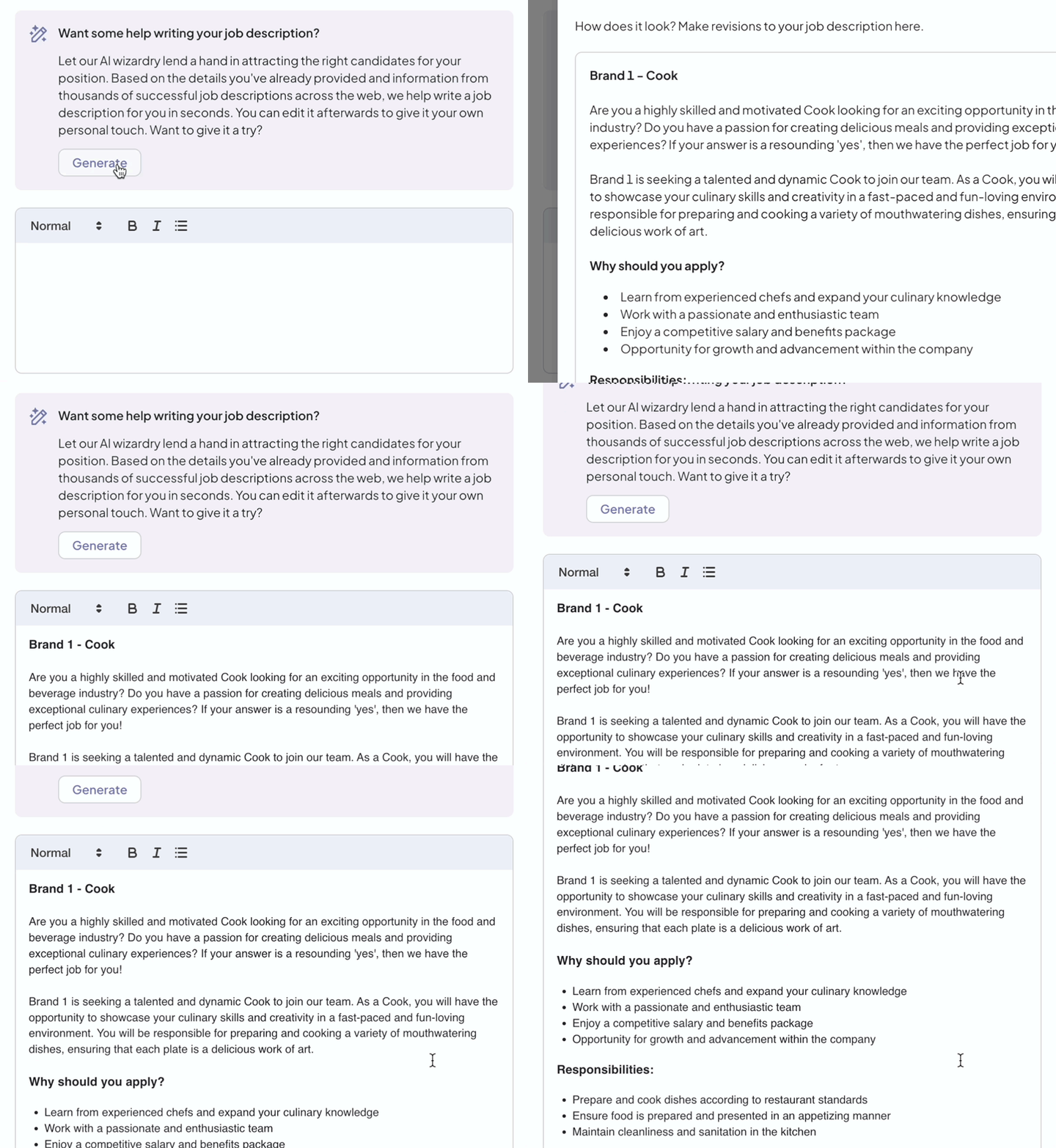
And if you’re already a Workstream customer, I encourage you to try our existing job description optimizer powered by Workstream AI. It leverages thousands of data points to optimize existing job descriptions or create new ones from scratch in just one clickβ€”saving you hours each week. Just log in to your account and create or edit a job description to give it a try. 
generator-1

The deskless economy deserves better. This has been our mantra since day one. It’s why we started Workstream. As technology continues to advance, we promise to bring it to the hourly workforce and the leaders who manage themβ€”and tailor it to help you do your jobs better. 

By Desmond Lim
Desmond Lim is co-founder and CEO of Workstream, a text-based hiring platform for local businesses hiring hourly workers. He is a graduate of Harvard University and MIT Media Lab, former Product Manager at WeChat, and investor at Dorm Room Fund. He contributes to Entrepreneur.com, Workstream Blog, and Huffington Post. He splits his time between San Francisco and Utah, and represented the Singapore National Team in basketball.

Personal Information and Sensitive Personal Information

Before we discuss the right to limit and the right to opt-out, we must first define personal information and how it relates to sensitive personal information.

Personal information is any data that identifies, relates to, or could reasonably be linked to you or your household. A few examples of personal information include:

  • Name or nickname
  • Email address
  • Purchase history
  • Browsing history
  • Location data
  • Employment data
  • IP address
  • Profiles businesses create about you, including pseudonymous profiles (β€œuser1234”)
  • Sensitive personal information

Sensitive personal information or β€œSPI” is a subset of personal information, defined as:

  • Identifying information (e.g. social security number, driver’s license)
  • Financial data (e.g. debit or credit card numbers)
  • Precise geolocation (within a radius of 1,850 feet)
  • Demographic or protected-class information (e.g. race/ethnicity, religion, union membership)
  • Biometric and genetic data (e.g. fingerprints, palm scans, facial recognition)
  • Communications and content (e.g. mail, email, text messages)
  • Health and sexual orientation (e.g. vaccine records, health history)

Right to Opt-Out

Californians have the right to opt-out of the sale and sharing of their personal information. That means you have the right to opt-out of the sale of your personal information to third parties (e.g. data brokers, advertisers). You also have the right to opt-out of the sharing of your personal information to prevent the targeting of ads across different businesses, websites, apps, or services.

CCPA-covered businesses must provide a link to allow you to exercise this right. It is usually found at the bottom of a webpage and will say β€œdo not sell or share my personal information” or β€œyour privacy choices.” Sometimes businesses offer privacy choices through a pop-up window or form

To opt-out of the sale and sharing of your personal information, click on the link or use the toggle provided by the business and follow the directions. Doing this on every website you visit can feel burdensome, but to ease the burden you can automatically select your privacy preferences for every website by using an opt-out preference signal, or OOPS for short.

An OOPS is a user-friendly and straightforward way for consumers to automatically exercise their right to opt-out of the sale and sharing of their personal information with the businesses they interact with online. An OOPS, such as the Global Privacy Control. It can either be a setting on your internet browser or a browser extension. With an OOPS, consumers do not have to submit individual requests to opt-out of sale or sharing with each business.

Right to Limit

Californians also have the right to direct businesses to limit the use and disclosure of their sensitive personal information.

Businesses covered under the CCPA must provide a link on their website that allows you to request the limiting of your SPI, if they plan on using it in certain ways. That link will also typically be at the bottom of a webpage and will say: β€œlimit the use of my sensitive personal information” or β€œyour privacy choices.” Once you send this request, the business must stop using your SPI for anything other than to:

  • Provide requested goods or services
  • Ensure security and integrity
  • Prevent fraud
  • Maintain system functionality
  • Comply with legal obligations

Bringing it Together

In summary, the CCPA gives you the right to opt-out of the sale and sharing of your personal information and gives you additional rights to further limit the use and disclosure of your sensitive personal information.

When you exercise these rights together, you exert greater control in protecting your personal data which is important for your identity, safety, and financial health.

If you are on a business’s website and you can’t find the links to exercise your rights, remember to check their privacy policy. The privacy policy should tell you how you can exercise your rights under the law.

If you find your rights being violated, you can submit a complaint to CalPrivacy.

Next in the LOCKED series, we will explore the right to correct and right to know. Follow us on social media to get live updates or check back in one week for the next post.

Essential

Required to enable basic website functionality. You may not disable essential cookies.

Targeted Advertising

Used to deliver advertising that is more relevant to you and your interests. May also be used to limit the number of times you see an advertisement and measure the effectiveness of advertising campaigns. Advertising networks usually place them with the website operator’s permission.

Personalization

Allow the website to remember choices you make (such as your username, language, or the region you are in) and provide enhanced, more personal features. For example, a website may provide you with local weather reports or traffic news by storing data about your general location.

Analytics

Help the website operator understand how its website performs, how visitors interact with the site, and whether there may be technical issues.

Right to Limit Use of Sensitive Personal Information

You also have the right to limit how we use sensitive personal information (such as precise geolocation, financial data, etc.).

Your preference has been saved. We will not sell or share your personal information.