

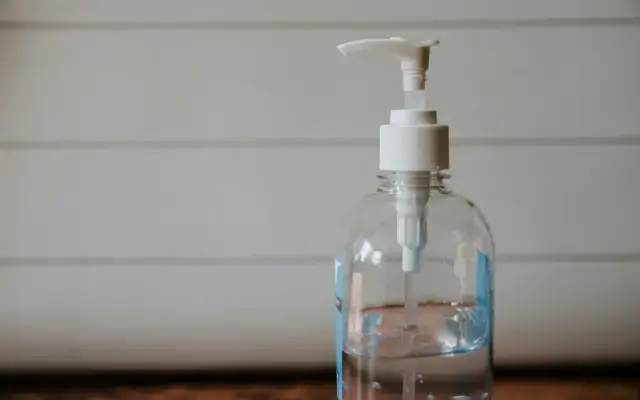

The best sanitizer solution for restaurants
Workstream Blog

The best sanitizer solution for restaurants

By Camille Ranullo

Get the latest with Workstream

Always stay current with hiring news by subscribing to our email updates

Here at Workstream, we aim to provide you with the information you’ll need to survive the tough times ahead caused by the ongoing coronavirus pandemic. We’ve talked about the best loan options, potential food delivery service partners, restaurant safety protocols and guidelines - and today we’ll touch on restaurant sanitization and the best options for sanitizer solution for restaurants.

In a recent study conducted by scientists from the National Institutes of Health, the coronavirus has been found to survive on non-porous surfaces like plastic, and stainless steel for up to 72 hours. This finding makes it absolutely critical that all contact surfaces in a restaurant be properly sanitized, in order to kill off pathogens and limit transmission during food processing and serving. Also, according to the FDA’s Food Code, contaminated equipment in food service is one of the major risk factors that contribute to foodborne illness.

Sanitizing Process

It’s important to note that there is a proper multi-step process to best sanitize dishes and equipment in commercial kitchen.

rU5NKBgLhLmpw2sxrJ1kyH49b9JJMYowSJMeyKznUBdxsk4JITgS9EHM3AwecwcAc6b45JZONeBSfRDBPw1sHxje8crQTGy4QaEF0UgaH85WpGMG_HPCeVdmZfLimcpItzsDu07D

The five-step process is as follows:

  1. Pre-clean

    Scrape off all particles (or food “soil”) from the surface of your tools and food-processing equipment. Oils or grease can actually prevent sanitizers from effectively cleaning your equipment .

  2. Wash Soak and wash in the first compartment of your restaurant sink for at least 30 seconds. Water must be at least at least 171˚F (77˚C), or you can run items through a high-temperature dishwasher. 

  3. Rinse Move equipment to the second compartment of your sink and rinse them off with clean, warm water. If using the dipping method, make sure to replace the water often. 

  4. Sanitize Clean with a combination of water and chemical sanitizer solution for restaurants. This process will help kill off up to 99% of all pathogens

  5. Dry Let your equipment and tools air-dry. Do not pat or wipe dry as the cleaning aids you will use may transfer pathogens once again if not sanitized properly.

Types of Sanitizers

There are many different kinds of surface sanitizer solutions for restaurants out there - and yes, not all of them are created equal. Some restaurant sanitizing solutions or hand sanitizers cannot be used on food-contact surfaces like countertops or dispensers because they are too corrosive, too toxic, or simply too expensive for regular use. Here’s a breakdown of the three most common sanitizing chemicals used in restaurants, and some of the pros and cons for each. 

CHEMICAL SANITIZERS ADVANTAGES DISADVANTAGES
Chlorine
  • Effective against a wide variety of microorganisms
  • Non-staining
  • Relatively inexpensive
  • Can irritate skin
  • Has a strong odor
  • Effectiveness decreases with higher PH of cleaning solution
Iodine
  • Non-corrosive and non-irritating to skin
  • Longer shelf life
  • Not affected by water hardness
  • Relatively costly
  • May stain some surfaces
  • Less effective against bacteria (compared to chlorine)
Quaternary Ammonium
  • Very stable, little loss of efficacy over use
  • No odor or taste residue
  • Non-corrosive and non-toxic
  • Long shelf life
  • Not compatible with many detergents
  • Not as effective against bacteriophages
  • Relatively expensive

So how do you choose which sanitizer solution for restaurants is the best one for you according to the food safety

  • Check which restaurant sanitizing solutions are allowed by your local regulatory authority

  • Contact suppliers and see which is the most readily available to you

  • Do your costing to determine which is more practical for your budget in the long run

  • Determine your restaurant’s specific needs and match to the most appropriate sanitizer

By Camille Ranullo
Part-time content marketing writer at Workstream, full-time mom and chef wannabe. Currently catching up on her reading and trying out new recipes in the kitchen.

Personal Information and Sensitive Personal Information

Before we discuss the right to limit and the right to opt-out, we must first define personal information and how it relates to sensitive personal information.

Personal information is any data that identifies, relates to, or could reasonably be linked to you or your household. A few examples of personal information include:

  • Name or nickname
  • Email address
  • Purchase history
  • Browsing history
  • Location data
  • Employment data
  • IP address
  • Profiles businesses create about you, including pseudonymous profiles (“user1234”)
  • Sensitive personal information

Sensitive personal information or “SPI” is a subset of personal information, defined as:

  • Identifying information (e.g. social security number, driver’s license)
  • Financial data (e.g. debit or credit card numbers)
  • Precise geolocation (within a radius of 1,850 feet)
  • Demographic or protected-class information (e.g. race/ethnicity, religion, union membership)
  • Biometric and genetic data (e.g. fingerprints, palm scans, facial recognition)
  • Communications and content (e.g. mail, email, text messages)
  • Health and sexual orientation (e.g. vaccine records, health history)

Right to Opt-Out

Californians have the right to opt-out of the sale and sharing of their personal information. That means you have the right to opt-out of the sale of your personal information to third parties (e.g. data brokers, advertisers). You also have the right to opt-out of the sharing of your personal information to prevent the targeting of ads across different businesses, websites, apps, or services.

CCPA-covered businesses must provide a link to allow you to exercise this right. It is usually found at the bottom of a webpage and will say “do not sell or share my personal information” or “your privacy choices.” Sometimes businesses offer privacy choices through a pop-up window or form

To opt-out of the sale and sharing of your personal information, click on the link or use the toggle provided by the business and follow the directions. Doing this on every website you visit can feel burdensome, but to ease the burden you can automatically select your privacy preferences for every website by using an opt-out preference signal, or OOPS for short.

An OOPS is a user-friendly and straightforward way for consumers to automatically exercise their right to opt-out of the sale and sharing of their personal information with the businesses they interact with online. An OOPS, such as the Global Privacy Control. It can either be a setting on your internet browser or a browser extension. With an OOPS, consumers do not have to submit individual requests to opt-out of sale or sharing with each business.

Right to Limit

Californians also have the right to direct businesses to limit the use and disclosure of their sensitive personal information.

Businesses covered under the CCPA must provide a link on their website that allows you to request the limiting of your SPI, if they plan on using it in certain ways. That link will also typically be at the bottom of a webpage and will say: “limit the use of my sensitive personal information” or “your privacy choices.” Once you send this request, the business must stop using your SPI for anything other than to:

  • Provide requested goods or services
  • Ensure security and integrity
  • Prevent fraud
  • Maintain system functionality
  • Comply with legal obligations

Bringing it Together

In summary, the CCPA gives you the right to opt-out of the sale and sharing of your personal information and gives you additional rights to further limit the use and disclosure of your sensitive personal information.

When you exercise these rights together, you exert greater control in protecting your personal data which is important for your identity, safety, and financial health.

If you are on a business’s website and you can’t find the links to exercise your rights, remember to check their privacy policy. The privacy policy should tell you how you can exercise your rights under the law.

If you find your rights being violated, you can submit a complaint to CalPrivacy.

Next in the LOCKED series, we will explore the right to correct and right to know. Follow us on social media to get live updates or check back in one week for the next post.

Essential

Required to enable basic website functionality. You may not disable essential cookies.

Targeted Advertising

Used to deliver advertising that is more relevant to you and your interests. May also be used to limit the number of times you see an advertisement and measure the effectiveness of advertising campaigns. Advertising networks usually place them with the website operator’s permission.

Personalization

Allow the website to remember choices you make (such as your username, language, or the region you are in) and provide enhanced, more personal features. For example, a website may provide you with local weather reports or traffic news by storing data about your general location.

Analytics

Help the website operator understand how its website performs, how visitors interact with the site, and whether there may be technical issues.

Right to Limit Use of Sensitive Personal Information

You also have the right to limit how we use sensitive personal information (such as precise geolocation, financial data, etc.).

Your preference has been saved. We will not sell or share your personal information.