



When I Work Review 2026
- Home >
- Workstream Blog >
- When I Wor...

Get the latest with Workstream
Always stay current with hiring news by subscribing to our email updates
When I Work has carved out a strong position in the employee scheduling software market by focusing on one thing: making shift scheduling simple. The platform serves over 200,000 workplaces. But the question restaurant operators, franchise owners, and hourly workforce managers need to answer is not whether When I Work does scheduling well. The real question is whether its scheduling, attendance, and workforce communication tools cover your broader HR and hiring needs.
For businesses with high turnover, multi-location complexity, or end-to-end HR requirements, the answer often comes down to how many separate systems you are willing to run. This review examines where When I Work delivers genuine value, where buyers typically add other tools, and which businesses should evaluate a broader workforce management platform.
Key Takeaways
- Scheduling is the core strength: The platform is built around fast, straightforward shift scheduling with a short learning curve, which suits businesses whose main need is coverage planning
- Hiring runs through separate tools: Current product materials center on scheduling, attendance, messaging, reporting, and integrations rather than native applicant tracking, job syndication, or candidate screening
- HR and onboarding sit outside the platform: W-4 collection, I-9 and E-Verify processing, and document management typically come from another system
- Payroll is integration-based: Time and attendance data exports to third-party payroll providers rather than a native payroll engine
- Growth changes the evaluation: Businesses whose requirements expand beyond scheduling and attendance often consolidate hiring, onboarding, scheduling, payroll, and compliance into one system to reduce duplicate data entry
When I Work: An Overview of Employee Scheduling Software
When I Work positions itself as employee scheduling and time tracking software for shift-based teams. The platform targets retail, hospitality, healthcare, and manufacturing operations where managers coordinate hourly staff across varying schedules.
The core offering centers on drag-and-drop schedule creation, shift swapping, availability management, and team messaging. Managers can build schedules using templates, employees can request time off or swap shifts through the mobile app, and everyone stays informed through automated notifications. When I Work's current pricing page states that every plan includes employee scheduling, time and attendance, and team messaging.
Its published product lineup centers on scheduling, attendance, messaging, reporting, integrations, and enterprise scheduling functionality. Broader HR processes such as recruiting, onboarding paperwork, payroll processing, and multi-module compliance management are handled through other systems or integrations.
Ease of Use: Is When I Work Intuitive for Small Businesses?
When I Work's user experience is its strongest competitive advantage, and the product is designed so that a manager can build a first schedule without technical assistance.
What makes the interface work for small teams:
- Fast initial setup: Some customers report being able to get started within minutes
- Straightforward workflows: The mobile app is built around scheduling, time tracking, and shift management rather than deep configuration
- Logical navigation: The interface organizes around daily workflows rather than complex feature hierarchies
- Broad mobile coverage: The iOS and Android apps support many core scheduling and workforce management tasks, although some administrative and advanced functions remain web-specific
That focus comes with a scope tradeoff. Capabilities such as applicant tracking, document management, and payroll processing are outside the product. For businesses that need scheduling and attendance, the focus delivers real value. For operations adding hiring and HR requirements, the software stack grows.
Scheduling Strengths: Features for Efficient Workforce Management
When I Work earns its reputation through scheduling features that address real operational challenges.
Core scheduling features that drive adoption:
- Drag-and-drop schedule builder: Move shifts between employees and time slots without data re-entry
- Schedule templates: Save common patterns and deploy them across weeks without rebuilding
- Auto-Assign: Assign unpublished OpenShifts using factors such as positions, tags, existing shifts, approved time off, maximum hours, and availability preferences
- Shift swapping: Employees request and approve swaps through the app with manager oversight
- OpenShifts: Post unfilled shifts for qualified employees to claim
- Availability management: Employees submit availability directly, reducing back-and-forth communication
For managers previously building schedules in spreadsheets or on paper, the efficiency gain is substantial, particularly for recurring weekly patterns.
Labor forecasting helps managers see projected costs as they build schedules. When I Work also supports multiple schedules and locations, though its published plan information about multi-location availability is not consistent across its own pages, so multi-location operators should confirm current plan requirements directly with the vendor.
Time Tracking Capabilities: Beyond Basic Clock-Ins
Time and attendance functionality is included across When I Work's current plans.
What the time tracking functionality includes:
- Mobile clock in and out: Employees punch time from their phones
- Location restrictions: Managers can set a geographic radius around a scheduled location or job site to control where clock-ins happen
- Photo Clock In: Captures a photo when employees clock in or out on an iOS Time Clock Terminal, giving managers a visual record for added accountability
- Break tracking: Scheduled and recorded breaks, automatic deductions, and paid or unpaid break attestations
- Timesheet management: Review and approve hours before payroll export
The functionality works well for what it covers. Employees can clock in quickly, and managers can track attendance in real time.
Workstream's time and scheduling platform includes geofenced mobile time tracking, missed-break and forgotten-clock-out alerts, and real-time overtime alerts within a system that also handles hiring, onboarding, HR records, and payroll.
Hiring and Applicant Tracking Capabilities
Current When I Work product materials do not show a native applicant tracking or recruiting suite. For businesses managing frequent turnover, particularly in restaurant and hospitality industries, which consistently experience high employee turnover, recruiting typically runs in a separate platform.
Hiring functions that live outside When I Work:
- Job board distribution: Posting and syndicating roles across job boards
- Applicant tracking: A centralized view of candidates, applications, and hiring pipeline
- Screening and filtering: Automated qualification questions or candidate scoring
- Interview scheduling: Calendar-connected or automated interview coordination
- Candidate communication: Text-based candidate engagement and automated follow-up
Businesses using When I Work for scheduling generally purchase and manage a separate recruiting platform. Depending on the recruiting or HR system used, an integration or a manual workflow moves new-hire information into When I Work so employees can appear on schedules. When I Work does support integrations that sync user data, including partner integrations that can create, update, and archive users based on records in the connected system.
For high-volume hourly hiring, Workstream's hiring platform offers AI-powered screening, text-to-apply functionality, and distribution to more than 25,000 job boards, addressing the challenges restaurants and multi-location businesses face when filling hourly positions quickly.
Onboarding and HR Capabilities
When I Work's published capabilities center on scheduling and attendance rather than HR document workflows. New hire paperwork, employment verification, and employee records are typically handled elsewhere.
HR functions handled outside the platform:
- Digital document collection: W-4, W-9, and direct deposit form handling
- I-9 and E-Verify processing: Employment verification automation
- Employee records management: Centralized storage for HR documents
- Benefits enrollment: Connection to benefits administration
- Multi-module compliance tracking: Monitoring across HR, time, and payroll
- Onboarding workflows: Structured processes for new hire completion
For businesses hiring frequently, this division of labor creates administrative work. Each new employee requires paperwork processing in another tool, and data often gets entered more than once. Growing businesses commonly operate three to six separate systems: scheduling in When I Work, recruiting in an ATS, onboarding through manual processes or another tool, payroll through a third-party provider, and HR records in spreadsheets or a separate HRIS.
Workstream's onboarding solution offers mobile-first digital document collection, e-signatures, and automated I-9 and E-Verify processing. New hires complete paperwork on their phones before their first day, and data flows to payroll and scheduling without manual re-entry. Workstream also has a deep integration with Checkr to initiate and conduct accurate background checks, especially when you're dealing with thousands of applications across locations as you scale up. Checkr performs the screening, and certain tasks, including viewing complete reports and adverse action processing, are handled in Checkr.
When I Work vs. Workstream
The fundamental difference between the two platforms is scope. When I Work solves scheduling and attendance specifically and well. Workstream addresses the employee lifecycle from job posting through payroll in one connected platform.
Where the two platforms overlap on scheduling:
Both offer drag-and-drop scheduling, shift templates, shift swapping, and multi-location support, and the core scheduling experience is comparable.
Where the platforms diverge:
- Hiring automation: Workstream includes applicant tracking, automated interview scheduling, a Talent Network, and VoiceAI phone screening; Workstream reports that VoiceAI reminders can reduce interview no-shows by 55%. Recruiting for When I Work customers happens in a separate system
- Onboarding: Workstream processes W-4, I-9, and E-Verify workflows digitally on mobile devices, while When I Work customers handle onboarding elsewhere
- Background checks: Workstream integrates with Checkr so hiring teams can initiate and track background checks inside the hiring workflow
- Payroll: Workstream includes full-service payroll with multi-EIN and multi-rate support, and automated payroll calculations can include tips, while its dedicated Tip Management and tip-pooling functionality is currently documented as Beta. When I Work connects to third-party payroll providers
- HR records: Workstream maintains centralized employee profiles across hiring, HR, time, and payroll, while When I Work stores scheduling and attendance data
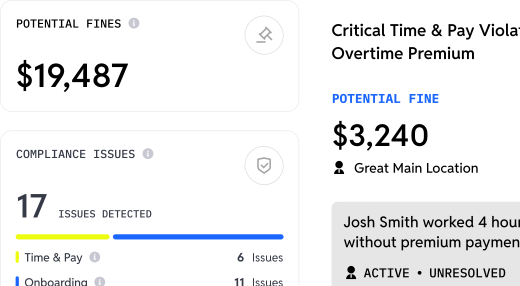
- Compliance: Workstream offers broader compliance monitoring across HR, time, and payroll. When I Work provides scheduling and attendance controls such as scheduling rules, overtime alerts, break tracking and attestations, and location-based clock-in restrictions. Neither platform removes the employer's responsibility for confirming compliance with applicable law
For single-location businesses with steady staffing and existing payroll relationships, When I Work's focused approach may be all that is needed. For multi-location operations, franchises, or businesses where hiring is a continuous workload, running hiring, onboarding, and payroll in separate systems adds administrative work that compounds over time.
Who is When I Work Best For?
When I Work delivers genuine value for specific business profiles. Understanding these use cases helps determine whether the platform fits your needs.
When I Work works well for:
- Small or straightforward single-location teams: Operations whose main requirement is coverage planning
- Businesses with satisfactory payroll and HR systems: Teams that need to add scheduling to an existing stack
- Steady-staffing operations: Businesses where hiring happens rarely enough that manual processes stay manageable
- Cost-conscious startups: Teams prioritizing a focused scheduling tool over broader functionality
- Managers moving off spreadsheets: Operations that need digital scheduling without heavy configuration
Operations that typically need a broader platform:
- High-turnover environments: Continuous hiring creates recruitment workload that scheduling software does not absorb
- Multi-location or franchise operations: Centralized visibility with location-level control across many sites
- Businesses needing integrated payroll: Restaurant-specific requirements such as tip handling and multi-rate employees
- Growing companies: Teams that will add HR, onboarding, and compliance requirements
- Operations reducing vendor sprawl: Groups consolidating workforce management into fewer systems
Businesses whose HR requirements expand beyond scheduling and attendance may eventually need additional systems or a broader workforce platform, so it is worth mapping the full lifecycle you expect to support before committing.
Why Workstream May Be a Strong Choice for High-Turnover Hourly Operations
For businesses where hiring never really stops, Workstream covers the same scheduling and time tracking ground while keeping recruiting, onboarding, HR records, and payroll in the same system.
Hiring runs natively: applicant tracking, automated interview scheduling, a talent network, distribution to more than 25,000 job boards, unlimited free Indeed job listings through an Indeed Platinum Partnership, and VoiceAI screening for 24/7 automated phone interviews in English, Spanish, Mandarin, and French, with availability depending on plan and configuration. Workstream reports that VoiceAI reminders can reduce interview no-shows by 55%.
Onboarding continues in the same record. New hires complete W-4, I-9, and E-Verify workflows and direct deposit setup from their phones with e-signatures, and hiring teams initiate and track background checks through the Checkr integration, with Checkr performing the screening.
On the pay side, full-service payroll handles multi-EIN structures and employees working multiple jobs, locations, and earning rates, with automated calculations that can include tips; dedicated Tip Management and tip pooling are currently documented as Beta. Because scheduling, time tracking, and payroll draw on one employee record, the reconciliation step between systems largely disappears.
See Workstream to compare what a single connected system handles for hourly teams.
Frequently Asked Questions
Can When I Work integrate with my existing payroll provider?
When I Work currently integrates with payroll systems including Rippling, Gusto, Paychex, QuickBooks Online, and Square. ADP Workforce Now integrations remain available only to eligible legacy customers and have not been offered to new customers since June 2026. These integrations export time and attendance data to your payroll system, reducing manual data entry, though you are still managing two platforms with separate logins, data structures, and support channels, and discrepancies require manual reconciliation. Businesses that want payroll in the same system as scheduling, including automated tip calculations and multi-rate handling, often prefer a native payroll platform.
Does When I Work support multiple languages for non-English speaking employees?
When I Work's web application and Customer Care support are English-only, while its iOS and Android apps can be used in English, Spanish, French, Italian, and German. Spanish is therefore supported for mobile users, but Mandarin is not listed among the supported mobile application languages. For restaurant and hospitality teams with multilingual staff, it is worth confirming which languages your employees need across both the app and the admin experience. Some workforce platforms extend multilingual support into candidate communication and automated screening as well.
How does When I Work handle complex pay scenarios like different rates for different roles?
When I Work can store wage information by user and position and include wage and time information in exports, but it recommends that the payroll calculations used to pay employees be performed by your payroll provider. That means scenarios such as overtime across job codes, tip pooling, and shift differentials are configured and resolved in the payroll system rather than in the scheduling platform. Businesses with employees working multiple positions at varying rates often find that this separation adds reconciliation steps that unified systems avoid by handling scheduling, time tracking, and payroll in one data model.
What support options does When I Work provide?
When I Work provides ticket and live-chat support seven days a week during published hours, including shorter weekend and holiday coverage. Support is delivered through tickets and live chat rather than phone, and it is not 24/7. For shift-based businesses operating nights and weekends, it is worth checking those published hours against the times your managers are most likely to need help. Some workforce platforms include seven-day coverage with faster published response targets as part of standard service.
Can When I Work help with labor law compliance beyond basic scheduling?
When I Work includes scheduling rules, overtime visibility and alerts, maximum-hours warnings, break scheduling and tracking with automatic deductions and attestations, location-based clock-in restrictions, and attendance records. Its documentation does not establish a comprehensive jurisdiction-aware compliance engine covering every applicable meal and rest break law, so multi-state operators generally verify configuration themselves or add compliance tooling. Broader workforce platforms fold compliance monitoring into hiring, HR, time, and payroll in one place, though employers remain responsible for meeting their legal obligations.