




What Most Franchise Operators Don't Know About Their Own Finances (And what it's costing them)
- Home >
- Webinar library >
- What Most ...

Get the latest with Workstream
Always stay current with hiring news by subscribing to our email updates
I've spent 15 years working exclusively with franchise operators. Multi-unit, multi-market, and multi-brand. I've seen the books of hundreds of franchise businesses at every stage of growth. And in that time, one thing has stayed consistently true: most operators are making financial decisions with incomplete, inaccurate, or just plain wrong data.
Not because they're bad business people. Most of them are exceptional operators. It's because the systems and the accounting support they have around them weren't built for the business they're actually running.
Your Accountant Might Not Know What They Don't Know
The most common thing I see when a new client comes to us from a general accounting firm or a local bookkeeper is that the fundamentals just aren't set up correctly for a franchise.
Here's a simple example. If you're operating a brand that runs on 13 accounting periods instead of 12 months — like Jimmy John's — the way you accrue labor has to reflect that. If your bookkeeper doesn't know that, you'll end up with a month where your P&L looks like your labor costs went through the roof, when in reality it's just an accrual timing issue. It doesn't sound catastrophic, but when you're trying to make a business decision, or you're sitting across from a lender trying to explain your numbers, it matters enormously.
A general accountant is closing your books one minute and reconciling a construction company's bank accounts the next. They're good accountants. But franchise accounting has nuances that take years of repetition to internalize. Your business shouldn't be where they learn them.
Your Books Should Be Exit-Ready From Day One
One of the first things I talk about with every new client — even if they just opened their first location and have no intention of selling — is structuring their books through the lens of an exit.
That might sound premature. It isn't.
The way you set up your chart of accounts, how you allocate expenses by location, how you handle owner compensation — all of it has downstream consequences on what your business is actually worth when it comes time to sell, take on a partner, or go get a loan. If you've been running everything through one bank account and manually splitting expenses by location, or using QuickBooks classes as a workaround to avoid opening separate accounts, your unit-level economics are almost certainly inaccurate. 90% of the time, that approach leads to allocation errors that make your store-level numbers indefensible.
I've seen operators try to clean that up retroactively. It's painful, expensive, and sometimes just not possible. Setting it up correctly from the first dollar is dramatically cheaper than fixing it at unit five or unit ten.
One specific thing we always recommend: create a clean administrative layer above your stores. Allocate your labor and G&A properly. If you're taking owner compensation, make sure it's structured, not pulled from individual store accounts like an ATM. That kind of thing is very hard to defend later when someone's trying to put a real number on what your business is worth.
Labor Costs Feel Impossible to Get Ahead of Until You Have Real Visibility
Labor is consistently the biggest pain point I hear from franchise operators. And the frustrating thing is that in most cases, it's not a labor problem. It's a visibility problem.
If your payroll data isn't flowing into your accounting software in something close to real time, you're always playing catch-up. You're waiting until the 20th of the following month to get your P&L, by which point whatever decisions you could have made are two to three weeks behind you.
The operators who manage labor well are looking at it at the day-part level — not just week over week. They know what Tuesday lunch looked like versus Wednesday dinner. They can forecast labor as a percentage of sales and spot overruns before they happen, not after.
When Workstream and Pivot work together with a shared client, that's exactly what becomes possible. Labor data flows directly from Workstream into the accounting software, and we can help operators build that visibility without them having to chase it manually.
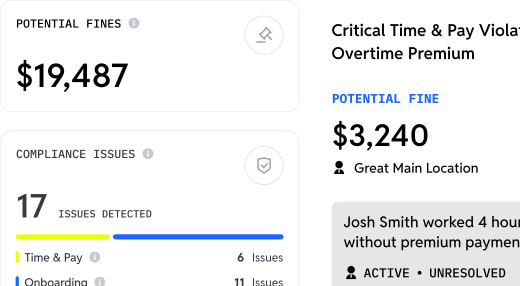
The compliance angle is just as critical, and it's one that operators tend to underestimate until something goes wrong. We had a client — a large operator, over 50 locations — who had an employee operating a piece of kitchen equipment they weren't of age to use. There was no system in place to flag it. They ran into a Department of Labor problem that was, to put it plainly, a mess.
They've since moved to Workstream. That problem went away.
Good labor management software and franchise-focused accountants working together isn't a nice-to-have. It's how you prevent the situations that are genuinely hard to recover from.
There's also the matter of employees who work across multiple locations or shift between roles — driving one day, working in-store the next, across different markets. If your payroll platform can't track that accurately, you're exposed to overtime violations and tip allocation errors that are entirely avoidable. It just requires having the right infrastructure.
Third-Party Delivery is Leaking Money and Most Operators Don’t Know It
This one comes up constantly, and it still surprises people every time.
Reconciling your third-party delivery revenue (what your POS says you did versus what the delivery platforms actually remit to you) is one of the most overlooked financial blind spots in restaurant operations. These platforms don't have a strong incentive to make sure you get paid every dollar you're owed. And if you're not actively reconciling, you almost certainly have a gap.
We had a client who came to us after waiting too long. By the time they realized the discrepancy, they'd lost thousands of dollars they couldn't fully recover. We got some of it back, but not all of it.
The good news is there are platforms now that make this significantly easier — tools like Loop AI and Otter that integrate with your accounting software and reconcile third-party funds automatically. The implementation cost is minimal compared to what you're likely leaving on the table without it.
What The Best Operators Actually Do Differently
After 15 years in this industry, the difference between operators who scale well and those who hit a wall at 5 or 10 locations almost always comes back to the same things.
The best operators close their books every month, consistently, without end-of-quarter scrambles. They review profitability at the individual store level. They know which units are making money and which are bleeding margin. They use standardized processes that look the same at 5 locations as they do at 50. They invest in infrastructure before problems happen, not after. And they treat finance as an operational tool; the monthly numbers inform their decisions, not just their tax filings.
They're building for the next 20 stores, not reacting to the last 2.
The accounting system, the payroll platform, and the reporting cadence aren't back-office concerns. They're competitive advantages. The operators who treat them that way are the ones who scale without breaking